Auto-empty docks can make a robot vacuum feel easier to live with, because you no longer have to empty the robot’s small dustbin by hand after every cleaning run. But the dock itself still needs some attention, and one of the parts most owners never think about — until something goes wrong — is the dust bag.
This guide explains what a dust bag actually does, why some docks don’t use one at all, what might be going on if emptying feels weak, and what to check before you assume the bag needs to be replaced.
Table of Contents
- What the Dust Bag Actually Does
- Not Every Auto-Empty Dock Uses a Dust Bag
- SmartCleanLab Note
- Signs Something May Need Attention
- Other Areas to Check
- Model-Specific Caution: Dust Bag Rules Are Not Universal
- Replacement Timing
- Checking Compatibility Before You Replace a Bag
- Can You Wash, Reuse, or Modify a Dust Bag?
- Before You Replace a Robot Vacuum Dock Dust Bag
- FAQ
- Final Takeaway
What the Dust Bag Actually Does
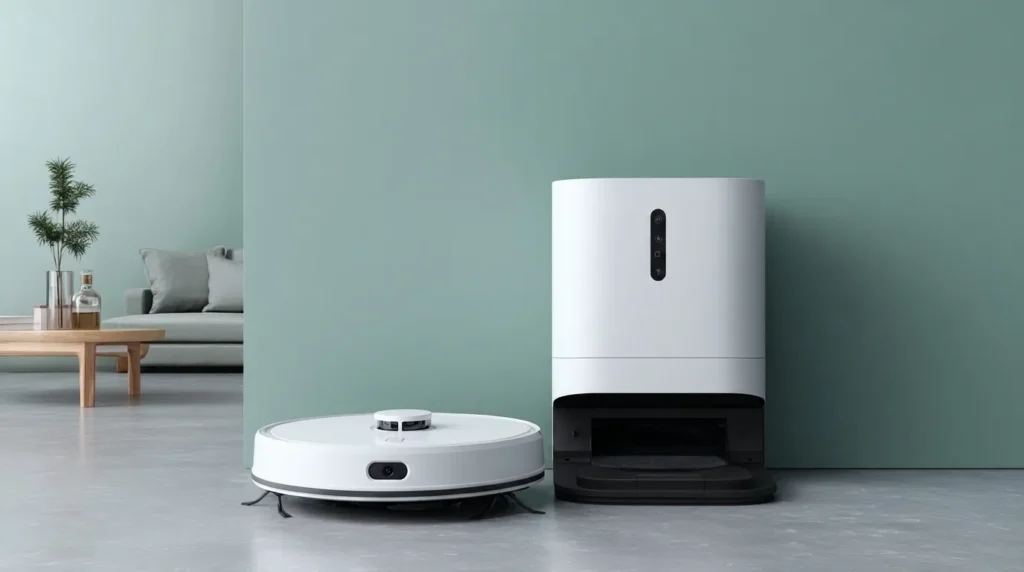
When your robot vacuum returns to an auto-empty dock, the dock pulls debris out of the robot’s small onboard dustbin and moves it into a larger container inside the dock itself. On many designs, that larger container is a disposable dust bag: a sealed paper or fabric-style bag that collects the dust and debris pulled from the robot, so you only have to deal with it occasionally instead of after every run.
How It’s Different From the Robot’s Own Dustbin
It helps to think of these as two separate components. The robot’s own dustbin is small, sits inside the robot itself, and fills up during a single cleaning session. The dock’s dust bag (where one is used) is much larger, sits inside the charging dock, and collects debris from many cleaning sessions over time. If you’ve already read about cleaning the robot’s own dustbin and filter, this is a different part of the system — not the same task repeated.
Not Every Auto-Empty Dock Uses a Dust Bag
It’s a common assumption that every auto-empty dock works the same way, but that isn’t the case. Some auto-empty docks use a disposable dust bag inside the dock. Others use a bagless bin or cup instead, which you empty directly into the trash rather than replacing a bag.
Bagged vs. Bagless Docks: A Design Difference, Not a Ranking
Neither approach is inherently better — they’re just different ways of solving the same problem. A bagged design generally means less direct contact with dust when the dock empties, since the debris stays sealed inside the bag until you remove and discard it. A bagless design generally means no bags to buy or store, but it may mean emptying the bin more often and having some direct contact with debris when you do. Which one your dock uses depends entirely on the specific dock and robot combination you have — it isn’t something you can assume from the brand alone, since even a single manufacturer’s product line up can include both bagged and bagless dock designs.
| Design | What It Generally Means |
|---|---|
| Bagged | Less direct contact with dust — debris stays sealed until you remove and discard it |
| Bagless | No bags to buy or store — may mean emptying more often and some direct contact with debris |
SmartCleanLab Note
An auto-empty dock reduces one routine task — emptying the robot’s small dustbin by hand — but it adds dock-specific checks in its place. On bagged systems, the dust bag is only one part of that system. If emptying starts to feel weak or inconsistent, it’s worth thinking beyond the bag alone: airflow, the dust port, the dock’s own filter (if it has one), and whether the bag is seated correctly can all play a role. Treating the dust bag as the single, automatic explanation for every dock problem can send you looking in the wrong place.
Signs Something May Need Attention
There are a few signs that suggest it’s worth checking your dock’s dust bag, or the dock system more broadly.
Full-Bag Warnings and What They Do (and Don’t) Tell You
Some docks include an indicator — a light or an app notification — that lets you know when the bag is getting full. This is a helpful signal, but it isn’t universal across every dock, and even where it exists, it’s typically telling you one specific thing: that the bag has reached its capacity. It isn’t a general-purpose diagnostic for every possible dock issue.
Weak or Failed Emptying Isn’t Always the Bag
If your dock seems to be emptying weakly, inconsistently, or not at all, it’s tempting to assume the bag is full and stop there. In practice, a full, missing, poorly installed, wet, torn, or incompatible bag can all affect emptying — but so can several things that have nothing to do with the bag itself. Treating “check the bag” as the only step can mean missing the actual cause. If weak emptying comes with other symptoms — such as charging issues, repeated errors, or the robot failing to clean normally — a broader robot vacuum stops working guide can help you separate dock issues from robot issues.
Other Areas to Check
If emptying feels off and the bag itself looks fine, a few other areas are worth a look before you assume you need a replacement bag.
Airflow Path, Dust Port, and Inlet
Debris can occasionally build up around the dust port or inlet — the point where debris actually enters the dock — restricting airflow even when the bag has plenty of room left.
Dock Filter and Dock Dustbin Area
Some docks include their own filter or an internal dustbin area separate from the bag compartment. If your model has one, it’s worth checking whether that area needs attention too. For a general explanation of what this kind of filter does and how filter types differ, see how robot vacuum filters work.
Robot Dustbin, Cover, and Installation
It’s also worth double-checking that the robot’s own dustbin is correctly seated and that the dock’s cover is fully closed. A dock cover that isn’t completely shut can sometimes prevent the emptying process from working properly.
Dock Settings and Do-Not-Disturb-Type Behavior
A dock setting — such as a do-not-disturb mode, or auto-emptying simply being turned off in the app — can also prevent emptying from happening, even when everything else is working fine.
Model-Specific Caution: Dust Bag Rules Are Not Universal
Don’t assume all auto-empty docks use the same dust bag system. Some docks use disposable bags, some use removable bins instead, and some combine bags, filters, sensors, seals, or airflow channels in ways that are specific to that model. Before washing, reusing, replacing, or buying a replacement bag, check the exact guidance for your specific dock model rather than relying on how a bag looks or how a similar-seeming dock has worked in the past.
Replacement Timing
There isn’t a single, universal answer for how often a dock dust bag needs to be replaced. Replacement timing depends on the dock design, how much debris your home produces, pet hair, floor type, how often you run cleanings, the bag’s own size, and the guidance provided for that specific dock. If you’ve seen a specific number quoted somewhere, treat it as guidance for that particular model rather than a rule that applies to every dock. For a broader way to think about when to replace parts in general — not just this one — see how to replace robot vacuum parts based on condition and usage rather than a fixed calendar schedule.
Checking Compatibility Before You Replace a Bag
If you do need a new bag, compatibility should be confirmed by your exact dock model — not by how closely a bag appears to match in size or shape. Two bags can look almost identical while being designed for different dock mechanisms. Checking your dock’s own documentation or manufacturer guidance for the correct replacement is a more reliable approach than judging by appearance alone.
Can You Wash, Reuse, or Modify a Dust Bag?
For most disposable dust bags, the answer is no — they’re designed to be used once and then discarded, and washing or reusing a bag that isn’t designed for it can affect how well it seals or filters. A small number of designs may use a washable or reusable bin instead of a disposable bag, but this isn’t something to assume; it depends entirely on what your specific dock and manual actually say. Modifying a dust bag isn’t something we’d suggest either, since it can affect how the dock seals and filters debris. If you’re unsure whether your system allows washing or reuse, checking the guidance for your exact model is the safest way to find out, rather than assuming based on what another dock or a similar-looking bag allows.
Before You Replace a Robot Vacuum Dock Dust Bag
This checklist is not a repair procedure; it is a way to decide what to inspect before you replace the bag.
- Confirm your dock actually uses a dust bag, rather than a bagless bin.
- Check whether the bag is full, loose, missing, wet, torn, or poorly seated.
- Check the dock inlet or dust port for debris buildup.
- Check whether the robot’s own dustbin is correctly installed.
- Check the dock filter or dock dustbin area, if your model has one.
- Confirm what your dock’s own documentation allows before washing, reusing, or replacing the bag.
- Confirm replacement bag compatibility by your exact dock model, not by appearance alone.
FAQ
Do all robot vacuum auto-empty docks use dust bags?
No. Some docks use disposable dust bags, while others use a bagless bin or cup that you empty directly. Which one your dock uses depends on the specific model.
Can I reuse a robot vacuum dust bag?
In most cases, disposable bags aren’t designed to be reused. A small number of systems use a washable or reusable bin instead, but this depends entirely on your specific dock’s guidance rather than being a general rule.
Why is my auto-empty dock not emptying well after I changed the bag?
A new bag can solve a full-bag problem, but weak emptying can also come from a blocked dust port, an airflow restriction, a dock cover that isn’t fully closed, or a setting like do-not-disturb mode. If emptying still seems weak after replacing the bag, it’s worth checking those other areas too.
Should I replace the dust bag on a fixed schedule?
Not really. Replacement timing depends on your household’s debris, pets, floor type, cleaning frequency, and your dock’s own guidance — there isn’t one universal number that applies to every dock.
Can I use any replacement dust bag that looks similar?
It’s safer not to. Bags that look alike can be designed for different mechanisms. Checking compatibility by your exact dock model is more reliable than judging by appearance.
Are bagged docks better than bagless docks?
Not inherently — they’re different design approaches with different trade-offs (less direct debris contact vs. no bags to buy), rather than one being a universally better choice.
Final Takeaway
A robot vacuum dust bag is a small, easy-to-overlook part of a system that otherwise runs quietly in the background. Not every dock uses one, replacement timing depends on your household rather than a fixed number, and weak emptying can come from several different places — not just the bag itself. Dust bag checks are also just one piece of a robot vacuum’s broader upkeep; if you want the fuller picture, our robot vacuum maintenance schedule covers how these tasks fit together. This guide is meant to help you understand what to check — not what to buy.