An auto-empty dock is one of the more noticeable upgrades on a modern robot vacuum, but the term itself gets used loosely in product listings. Before comparing models or reading spec sheets, it helps to understand what the feature actually does, how debris gets from the robot into the dock, and what still needs your attention afterward. This guide walks through the mechanism in plain terms, without assuming any particular brand or model.
Table of Contents
- What an Auto-Empty Robot Vacuum Dock Does
- How Debris Moves From the Robot to the Dock
- Robot Dustbin vs. Dock Bag or Container
- Bagged vs. Bagless Auto-Empty Docks
- SmartCleanLab Note
- What Still Needs Maintenance
- Common Limitations Beginners Should Understand
- Terms You May See in Product Listings
- When an Auto-Empty Dock May Be Useful
- Mistakes to Avoid When Reading Auto-Empty Claims
- FAQ
- Final Takeaway
What an Auto-Empty Robot Vacuum Dock Does
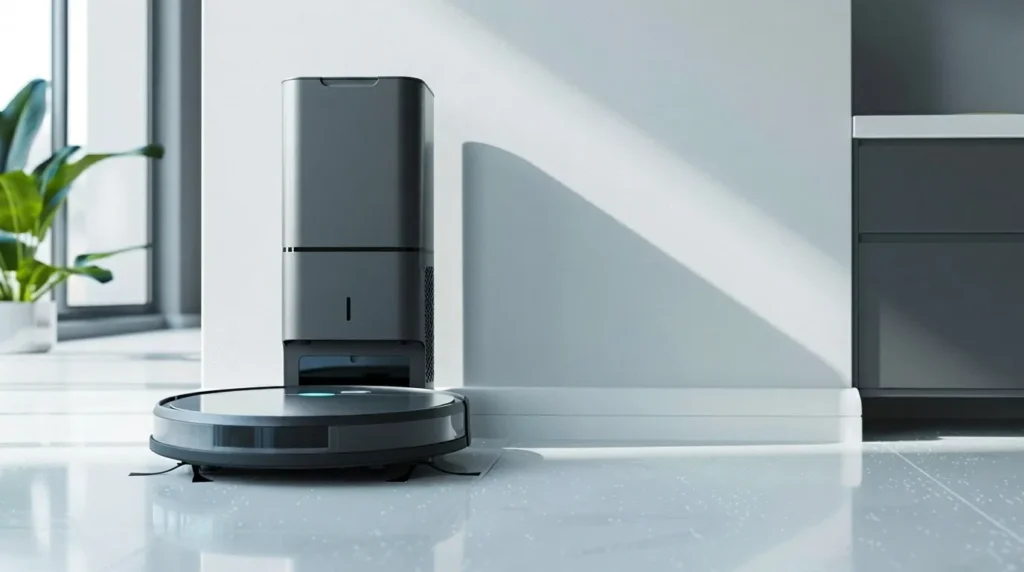
An auto-empty (or self-empty) dock is a docking station that empties the robot’s onboard dustbin into a larger container after the robot returns from a cleaning run. Instead of the user removing and emptying a small bin after every session, the dock handles that step automatically, and the user only has to deal with the dock’s own container on a longer cycle.
This is the core idea behind the feature: it moves one recurring task from “after every run” to “every few weeks,” not something more dramatic than that.
How Debris Moves From the Robot to the Dock
The Suction-Based Transfer Process
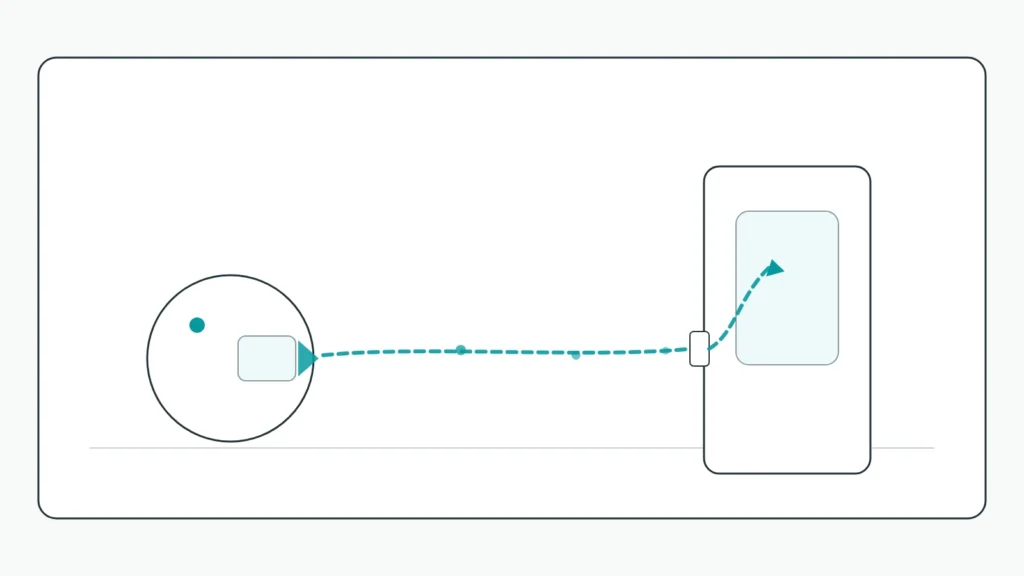
The transfer itself is mechanical, not gravity-based. When the robot docks, the base station runs a short but powerful burst of suction that pulls debris out of the robot’s internal bin through a sealed channel and into the dock’s own storage area. It works more like a built-in mini vacuum cleaning out the robot than a simple drop-and-release mechanism.
Why This Happens Automatically When the Robot Docks
The process is triggered by docking itself, so there’s no separate button to press for a normal cycle. The robot returns, connects to the base, and the emptying sequence runs before (or as part of) the robot’s next charge cycle. This is what “automatic” refers to in “auto-empty” — the transfer step, not the entire maintenance routine.
Robot Dustbin vs. Dock Bag or Container
The Robot’s Onboard Dustbin
The robot itself still has a small internal dustbin, the same kind found on any robot vacuum. Its main job is to hold debris just long enough to get the robot back to the dock — it’s not designed to be the long-term storage point once an auto-empty dock is involved.
The Dock’s Larger Collection Area
The dock’s container is where debris actually accumulates over time. Because this container is significantly larger than the robot’s own bin, it can go through many cleaning runs before it needs attention, which is the main practical benefit of the whole system.
Bagged vs. Bagless Auto-Empty Docks
Disposable Dust Bag Systems
Some docks collect debris in a disposable bag that seals itself when removed. Emptying it is usually a matter of pulling the bag out and dropping it in the trash, then inserting a new one. If you want a closer look at how these bags work and what their upkeep involves, SmartCleanLab’s guide to robot vacuum dust bags covers that in more detail.
Bagless Container Systems
Other docks skip the disposable bag entirely and use a reusable bin instead. There’s no ongoing bag cost, but emptying it usually means opening the container directly over the trash, which can release a bit more dust into the air during that step compared to a sealed bag.
Neither Design Is Automatically the Better Choice
Bagged and bagless systems are simply different trade-offs — bag cost and convenience on one side, no recurring purchase but a messier manual step on the other. Which one suits a given household depends more on personal preference than on either design being objectively superior.
SmartCleanLab Note
Dock design isn’t standardized across the industry. The exact transfer mechanism, container type, and even how the dustbin seats into the dock can differ from one manufacturer to the next, so treat the explanations above as the general pattern rather than a description of any single product.
What Still Needs Maintenance
Even with an auto-empty dock doing the heavy lifting, a few things still need periodic attention. For a broader look at what a robot vacuum needs beyond the dock itself, SmartCleanLab’s robot vacuum maintenance schedule is a useful starting point.
Emptying the Dock’s Bag or Container
Whether bagged or bagless, the dock’s own storage still fills up eventually and needs to be cleared out. This is a far less frequent task than emptying the robot itself, but it doesn’t disappear entirely.
Filters and Seals
Filters inside the dock or the robot may need occasional cleaning or replacement, and any dustbin seal needs to sit properly for suction to work as intended. A seal that isn’t seated correctly can quietly reduce how well the dock empties the robot.
The Suction Path and Clog Risk
The channel that carries debris from the robot into the dock can get blocked, particularly by long hair, pet fur, or larger debris. A blocked path is one of the more common reasons an auto-empty dock stops working as expected, and it’s usually a maintenance issue rather than a sign the dock is broken.
Common Limitations Beginners Should Understand
Maintenance Is Reduced, Not Eliminated
This is probably the single most important thing to understand before relying on the feature: an auto-empty dock removes one specific, frequent task (emptying the robot after every run) but doesn’t remove maintenance from the picture altogether.
Emptying Interval Varies by Model
How long a dock can go before its own container needs clearing ranges roughly from about a month to a little over two months, depending on the manufacturer and model. Treat any specific number you see in a product listing as an example for that product, not a fixed rule for every auto-empty dock.
Emptying Can Be Briefly Noisy
The emptying cycle itself tends to be noticeably louder than the robot’s normal cleaning sound, since it involves a short, strong burst of suction. Most designs keep this to a brief moment rather than a sustained noise, but exactly how loud it gets is something that differs by product.
Terms You May See in Product Listings
Product pages often use several overlapping terms for the same general idea. A few common ones:
- Self-emptying / auto-empty — general terms for the feature itself.
- Clean base / auto-empty station — brand-specific names for the dock.
- Dust bag — a disposable bag inside the dock.
- Bagless bin / dust cup — a reusable container inside the dock.
None of these terms guarantee a specific design, capacity, or maintenance schedule on their own — they’re just labels, and the details behind them are worth checking for any specific product.
When an Auto-Empty Dock May Be Useful
Households that clean frequently, have pets, or simply want to empty a bin less often are the most likely to notice the benefit of this feature, since it directly reduces how often that one task comes up. If this sounds like something worth considering, SmartCleanLab’s guide on what to know before buying a robot vacuum with an auto-empty dock covers the practical factors to check, like dock size, placement, and ongoing maintenance needs, before making a decision.
Mistakes to Avoid When Reading Auto-Empty Claims
Assuming “Auto-Empty” Means No Maintenance
The name of the feature focuses on the part that’s automated, not on everything else involved. It’s easy to read “auto-empty” and assume the whole system is hands-off, but the sections above show that isn’t quite accurate.
Assuming Every Dock Works the Same Way
Bagged versus bagless, exact suction mechanics, filter design, and emptying frequency are all points where products genuinely differ. A description that fits one dock well may not fit another one at all.
Skipping the Manufacturer’s Manual
For anything specific — exact maintenance steps, replacement parts, or troubleshooting an emptying issue — the product’s own manual or official support page is the most reliable source, more reliable than a general explanation like this one.
FAQ
Does an auto-empty dock mean I never have to empty anything myself?
No. It removes the need to empty the robot’s own bin after every run, but the dock’s own bag or container still needs to be cleared out periodically, and filters or seals may need occasional attention.
How is debris moved from the robot into the dock?
Through suction. When the robot docks, the base station pulls debris out of the robot’s bin through a sealed channel and into the dock’s storage area.
What is the difference between a bagged and a bagless auto-empty dock?
A bagged dock collects debris in a disposable, self-sealing bag that gets thrown away and replaced. A bagless dock uses a reusable container that’s emptied directly into the trash. Neither is inherently better — they’re different trade-offs.
How often does the dock itself need to be emptied?
This varies by product, but many docks can go roughly a month to a couple of months between emptying, depending on design and how much the robot is used.
Can an auto-empty dock get clogged?
Yes. Hair, pet fur, and larger debris can block the channel that carries debris into the dock, which can prevent the dock from emptying the robot properly until it’s cleared.
Is auto-empty dock emptying loud?
The brief moment when the dock empties the robot tends to be louder than normal cleaning, though it’s usually short rather than continuous. Exact noise level differs by product.
Do all auto-empty docks work the same way?
The general concept — suction-based transfer into a larger container — is consistent, but the specific design, bag or bagless system, and maintenance needs vary by manufacturer and model.
Final Takeaway
An auto-empty robot vacuum dock is designed to handle one specific, repetitive task: emptying the robot’s own bin after each cleaning run. It does that well, but it doesn’t remove maintenance from the equation entirely — the dock’s own container, filters, seals, and suction path still need occasional attention. Understanding this distinction before comparing product listings makes it much easier to set realistic expectations. For a broader starting point on choosing a robot vacuum in the first place, SmartCleanLab’s robot vacuum buying guide for beginners is a good place to start.