If you’ve shopped for a robot vacuum recently, you’ve probably seen the word “mapping” come up a lot. Some listings mention LiDAR, others mention smart maps or no-go zones, and it can be hard to know what any of that actually means in practice.
This guide explains robot vacuum mapping in plain language. It covers what mapping is, how it’s different from navigation, the common ways robot vacuums build a map, and what mapping can and cannot do. This is not a product comparison or a ranking of specific robot vacuums — it’s a beginner-friendly explanation of the technology category itself, based on publicly available technical and manufacturer information.
Table of Contents
- What Robot Vacuum Mapping Means
- Mapping vs. Navigation: What’s the Difference?
- How Robot Vacuums Create a Map
- What Mapping Can Help a Robot Vacuum Do
- Why Robot Vacuum Maps Can Become Inaccurate
- What Mapping Cannot Guarantee
- Beginner Checklist Before Comparing Mapping Features
- Frequently Asked Questions
- Final Takeaway
What Robot Vacuum Mapping Means
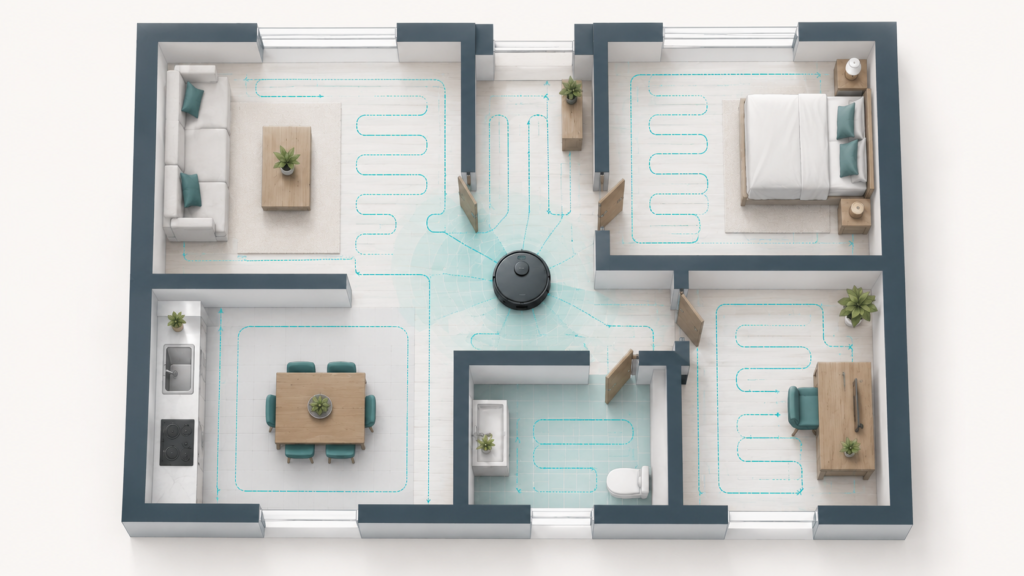
Robot vacuum mapping is the process that helps a robot vacuum understand and record the layout of a home. Instead of just bumping around randomly, a robot vacuum with mapping can build a basic representation of where the walls, furniture, and open spaces are.
Some mapping systems also estimate the robot’s position while they build or use this map, so the robot has a rough sense of where it is in the home, not just what the home looks like. This combination — building a map while also keeping track of position — is part of why mapping has become a common feature in mid-range and higher-end robot vacuums.
It’s worth being clear from the start: mapping is a helpful feature, not a perfect one. How well it works can depend a lot on the specific model and the home it’s used in.
Mapping vs. Navigation: What’s the Difference?
Mapping and navigation are related, but they are not the same thing.
Mapping is about building a picture of the home — a record of the space the robot is working in. Navigation is about using that picture, along with the robot’s estimated position, to actually move around the space.
In other words, mapping answers the question “what does this home look like?”, while navigation answers the question “how do I get from here to there?” A robot vacuum can have some level of navigation without a persistent map — for example, simpler models may use random movement or basic sensor reactions to get around. Mapping adds a layer on top of that by giving the robot a more structured understanding of the space, which can support more organized movement.
If you want a deeper look at how robot vacuums actually move through a space, see our guide on how robot vacuum navigation works, which covers movement patterns like random navigation, gyroscope-based navigation, and obstacle handling in more detail.
How Robot Vacuums Create a Map
There isn’t a single way that robot vacuums build maps. Depending on the model, mapping can rely on different sensors and methods, often used in combination.
| Method | How It Works | Main Trade-Off |
|---|---|---|
| LiDAR | Laser pulses measure distance to nearby surfaces | Less sensitive to lighting conditions, but has its own limitations |
| Camera (vSLAM) | Camera recognizes landmarks in the home to build a map | Depends more on having reasonably good lighting |
LiDAR-Based Mapping
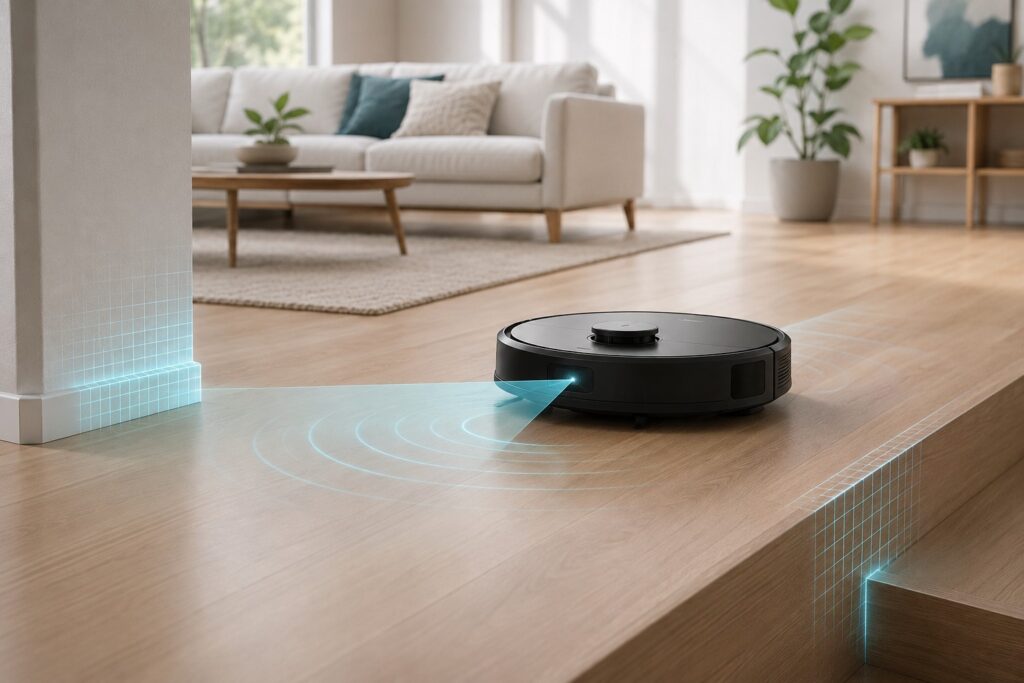
Some robot vacuums use a LiDAR sensor, usually housed in a small spinning turret on top of the robot. LiDAR works by sending out laser pulses and measuring how long it takes for them to bounce back off nearby surfaces. By doing this repeatedly as the robot moves, it can build a fairly detailed picture of distances and layout.
LiDAR-based mapping is commonly described as less sensitive to lighting conditions than camera-based methods, since it doesn’t rely on visible light to “see.” That said, LiDAR is not without its own limitations, which are covered later in this guide.
Camera-Based Mapping
Other robot vacuums use a camera-based approach, sometimes called vSLAM (visual simultaneous localization and mapping). Instead of lasers, these systems use an upward-facing or forward-facing camera to look for landmarks in the home — things like ceiling features, doorways, or distinctive shapes — and use those landmarks to help build a map and keep track of position.
Camera-based mapping can work well in many homes, but it tends to depend more on having reasonably good lighting, since the camera needs to be able to see clearly to recognize landmarks.
Neither LiDAR nor camera-based mapping is universally “better.” Each approach has different trade-offs depending on the home, the lighting, and the specific implementation, so it’s more useful to think of them as different tools rather than a simple winner-and-loser comparison.
If you currently own a basic (camera-based or non-mapping) model and are considering a LiDAR upgrade, see our comparison of what actually changes if you upgrade from one to the other.
Sensor-Assisted Mapping
Mapping rarely relies on just one sensor. Many robot vacuums also use supporting sensors — such as gyroscopes or inertial measurement units (IMUs) for tracking movement and turns, bump sensors for detecting contact with objects, and cliff sensors for detecting drop-offs like stairs.
These supporting sensors don’t necessarily build the map by themselves, but they can help refine it and support more accurate position estimates. For a closer look at how individual sensors like these work, see how robot vacuum sensors work, which explains common sensor types in more detail.
What Mapping Can Help a Robot Vacuum Do
Once a robot vacuum has built a map, that map can support a number of features — though exactly which features are available depends on the model.
Room-Based Cleaning
On some models, mapping can support room-based cleaning, where the app lets you choose to clean a specific room or area instead of the whole home. This depends on the robot being able to recognize separate rooms within its map, which is itself a model-dependent capability.
No-Go Zones and Virtual Boundaries
Mapping can also support no-go zones or virtual boundaries on some models. These are areas you mark on the map — through an app — that you’d like the robot to avoid, such as around a pet’s water bowl, a tangle of cables, or a delicate piece of furniture.
No-go zones can be a genuinely useful way to reduce certain problems, but they depend on the underlying map being accurate and on the specific robot correctly recognizing the boundary in practice. They are a configurable feature, not a guaranteed barrier.
Multi-Floor Maps
Some robot vacuums can also save separate maps for different floors of a home, which can be useful for multi-level houses. Typically, this involves mapping each floor once and then carrying the robot between levels so it can load the saved map for that floor.
The number of maps a given model can store, and how the switching process works, varies depending on the manufacturer and the specific product.
Why Robot Vacuum Maps Can Become Inaccurate
A map is only useful if it reasonably reflects the current state of a home — and homes change. There are several common reasons a robot vacuum’s map can become less accurate over time:
- Furniture moves. If a couch, table, or shelf is moved after a map is created, the robot’s understanding of the space may no longer match reality.
- Lighting changes. Camera-based mapping systems can be affected by changes in lighting, including low light, since they rely on visual landmarks to orient themselves.
- Reflective or glass surfaces. Mirrors, glass tables, and reflective furniture legs can interfere with both camera-based and laser-based sensing, in different ways.
- Layout changes. Renovations, new furniture, or rearranged rooms can all make an older map outdated.
When a map becomes outdated, robot vacuums often need to remap part or all of the home to keep things accurate. This isn’t a sign that mapping doesn’t work — it’s a normal part of how mapping-based systems behave in real homes that change over time.
What Mapping Cannot Guarantee
It’s worth being direct about this: mapping can help a robot vacuum clean in a more organized way, but it does not guarantee perfect cleaning coverage.
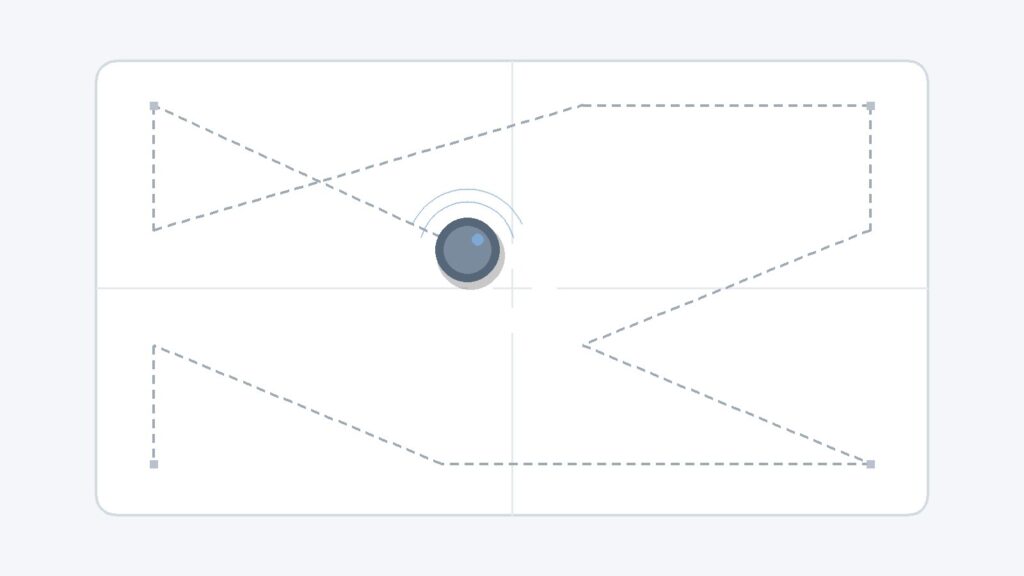
Mapping can support more systematic movement — for example, some robots use the map to move in straight, parallel rows instead of moving randomly, which can help reduce missed spots and repeated passes over the same area. But “can help” is different from “will always.” Obstacles, sensor limitations, environmental conditions, and map inaccuracies can all still affect how thoroughly a space gets cleaned on any given run.
In short, mapping is best understood as a feature that supports more organized cleaning, not as a guarantee that every corner of a home will always be reached.
Beginner Checklist Before Comparing Mapping Features
If you’re trying to understand mapping-related features while comparing robot vacuums, a few basic questions can help:
- What mapping method does this model use — LiDAR, camera-based, or a combination?
- Does it support saving and reusing a map between cleaning sessions, or does it map fresh each time?
- Does it support no-go zones or virtual boundaries, if that matters for your home?
- Does it support multiple saved maps, if you have more than one floor?
- How is the map typically affected by your home’s lighting or layout, based on the technology it uses?
These questions are meant to help you understand what a given mapping feature actually does, rather than to suggest that one type of mapping is automatically better for everyone. For a broader look at the factors worth comparing when choosing a robot vacuum, see our robot vacuum buying guide for beginners, which walks through buying considerations beyond mapping alone.
Frequently Asked Questions
What is robot vacuum mapping?
Robot vacuum mapping is the process that helps a robot vacuum build a record of a home’s layout, such as where walls, furniture, and open spaces are. Some systems also estimate the robot’s position while building or using this map.
Is mapping the same as navigation?
Not exactly. Mapping is about building a picture of the home, while navigation is about using that picture, along with the robot’s estimated position, to actually move around. They work together, but they describe different parts of the process.
Do all robot vacuums make maps?
No. Some simpler robot vacuums use random movement or basic sensor-based navigation without building a persistent map, while other models use LiDAR, cameras, or other sensors to support mapping. Mapping capability varies by model — see our full mapping vs. no mapping comparison for a closer look at what that actually changes.
Does mapping help a robot vacuum clean better?
Mapping can help support more systematic cleaning, such as moving in organized rows instead of randomly, which may help reduce missed spots in some cases. However, it does not guarantee complete or perfect coverage.
Can robot vacuum maps become inaccurate?
Yes. Maps can become less accurate when furniture moves, lighting changes, reflective or glass surfaces interfere with sensors, or a home’s layout changes. Remapping is a normal part of using a mapping-based robot vacuum.
Do no-go zones always work?
Not always. No-go zones can help keep a robot vacuum away from a marked area on models that support the feature, but how reliably they work depends on the map’s accuracy and the specific robot, so results can vary.
Is LiDAR mapping always better than camera mapping?
Not necessarily. LiDAR and camera-based mapping each have different trade-offs — for example, LiDAR is commonly described as less sensitive to lighting, while camera-based systems are often more affordable. Neither approach is universally better in every home and every condition.
Final Takeaway
Robot vacuum mapping can be a genuinely useful feature. It can help a robot vacuum understand a home’s layout, support more organized cleaning paths, and enable features like no-go zones, room-based cleaning, or multi-floor maps on models that support them. At the same time, mapping depends on sensors, software, lighting, and the home’s layout, so it’s best understood as a helpful tool rather than a guarantee of flawless results. Knowing roughly how mapping works — and what it can’t promise — makes it easier to understand this feature without relying on any single brand’s marketing claims.