Robot vacuum sensors are the small parts that help a robot vacuum notice what is around it. They can help the robot detect stairs, walls, furniture, floor changes, charging docks, and nearby obstacles. However, sensors are not magic, and they do not make every robot vacuum behave the same way.
This beginner-friendly guide explains how robot vacuum sensors work, what common sensor types do, how sensors differ from navigation systems, and what to check before comparing sensor-related features. It is not a product ranking or a recommendation list. Sensor layouts vary by model, so the manufacturer’s manual is always the right place to confirm the exact sensors and cleaning instructions for a specific robot vacuum.
Table of Contents
- What Robot Vacuum Sensors Do
- Sensors vs. Navigation: What’s the Difference?
- Common Types of Robot Vacuum Sensors
- Why Sensors Matter for Everyday Cleaning
- Common Sensor-Related Problems Beginners Notice
- How to Keep Robot Vacuum Sensors Clean
- What Sensors Cannot Guarantee
- Beginner Checklist Before Comparing Sensor Features
- Frequently Asked Questions
- Final Takeaway
What Robot Vacuum Sensors Do
Robot vacuum sensors help the robot gather information from its surroundings. Depending on the model, sensors may help the robot notice a drop-off near stairs, react after touching furniture, follow along a wall, locate the charging dock, detect a carpeted area, or recognize that something is in front of it.
A simple way to think about sensors is this: sensors help the robot “notice” things, while the robot’s software decides what to do with that information. For example, a cliff sensor may detect a sudden drop near a stair edge, but the robot still needs internal logic to slow down, turn away, or stop.
Not every robot vacuum uses the same sensor layout. Some models rely on basic bump and cliff sensors. Others may combine several sensor types with mapping, cameras, LiDAR, ultrasonic sensing, or other systems. This is why sensor claims should be read carefully and compared in context.
Sensors vs. Navigation: What’s the Difference?
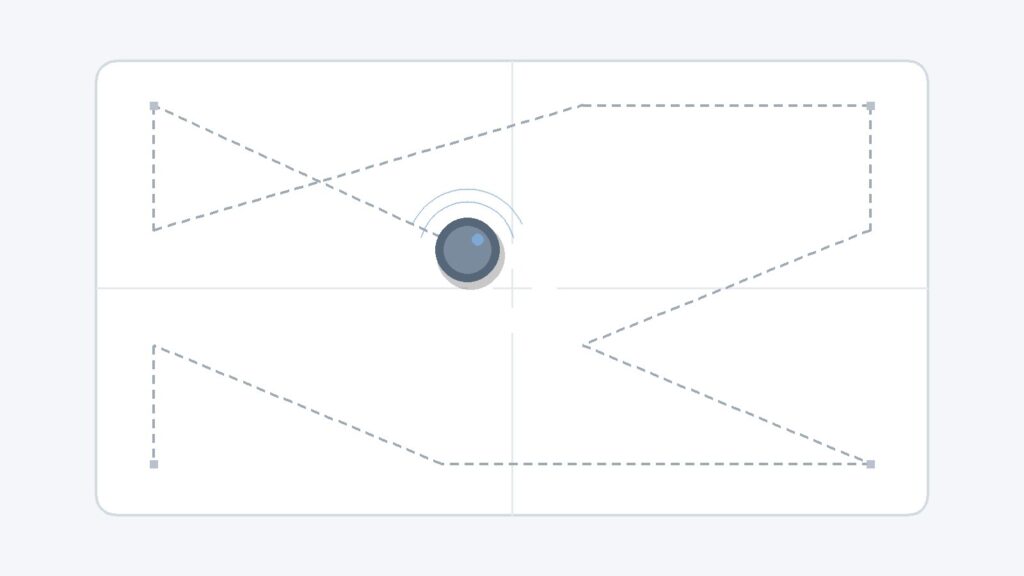
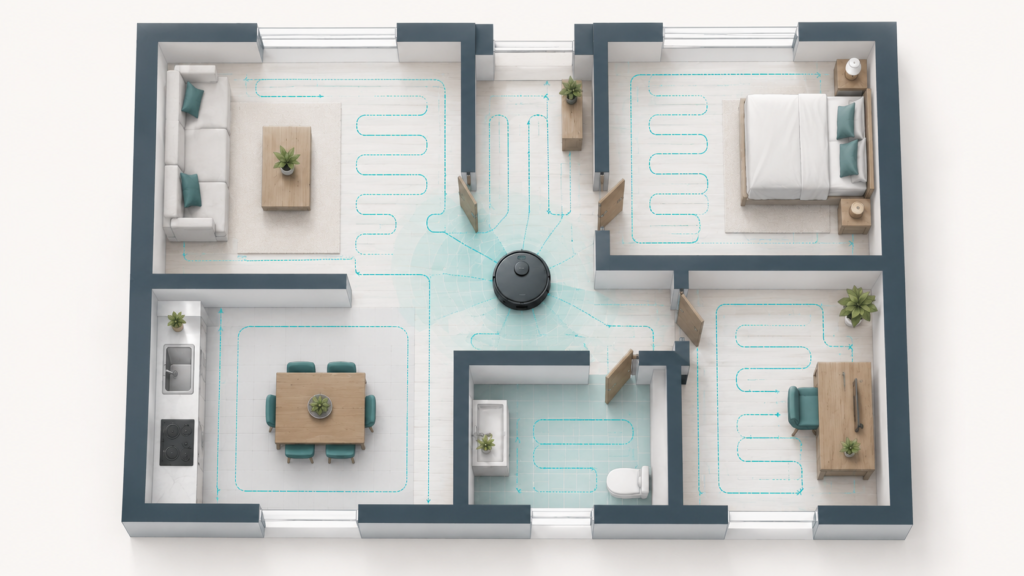
Sensors and navigation are related, but they are not the same thing. Sensors collect signals from the robot’s surroundings. Navigation is the broader system that uses sensor input, software, and sometimes mapping data to decide how the robot moves through a room.
For example, a robot vacuum may use sensors to detect a wall, but navigation determines whether it moves along that wall, turns away, updates a map, or continues a planned route. A basic robot may react only when it bumps into something, while a more advanced model may use several sensors to plan a more organized path.
For a deeper explanation of mapping and movement patterns, see our guide on how robot vacuum navigation works.
Common Types of Robot Vacuum Sensors
Robot vacuum sensor names can sound technical, but most of them are easier to understand when grouped by what they help the robot detect. The exact names and locations vary by manufacturer, so the categories below are general explanations rather than a universal parts list.
Cliff Sensors
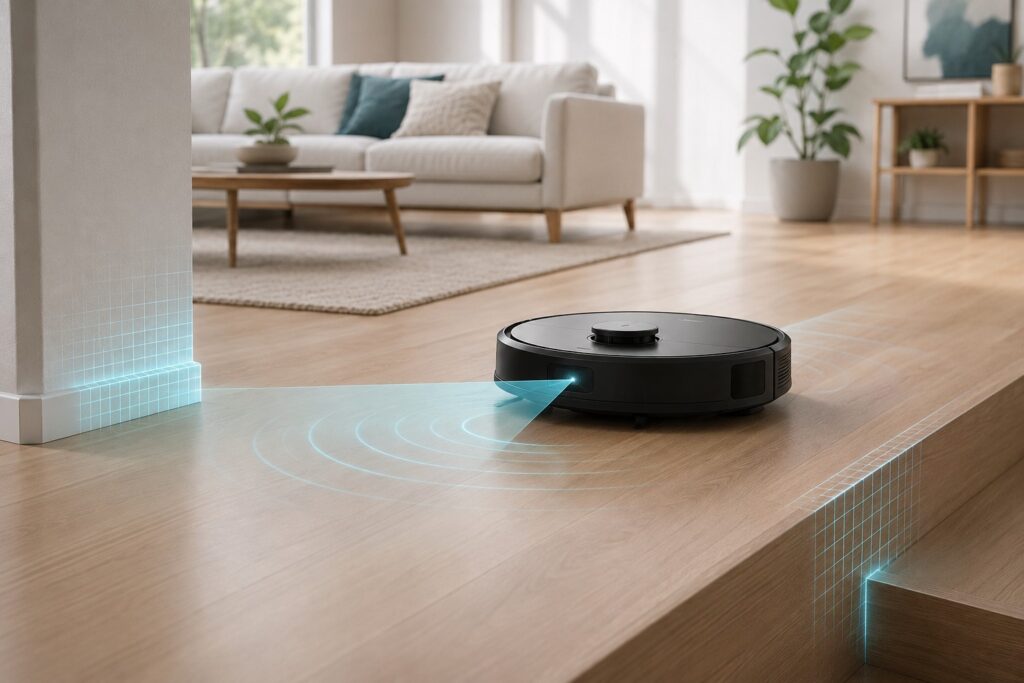
Cliff sensors help a robot vacuum detect drop-offs, such as stairs or raised edges. They are commonly located underneath the robot, near the front or sides, so the robot can sense a sudden change below it.
These sensors can help reduce the risk of the robot moving over an edge, but they should not be described as a complete safety guarantee. Dirty sensors, unusual flooring, dark surfaces, reflections, or model-specific limitations may affect how a robot behaves. For homes with stairs, it is still wise to keep the area clear and follow the manufacturer’s guidance.
Bump Sensors
Bump sensors help the robot respond after it physically touches an object. On many robot vacuums, the front bumper can move slightly when it contacts furniture, walls, or other items. The robot can then slow down, reverse, or turn in another direction.
A bump sensor is different from obstacle avoidance. Bump sensing usually means the robot reacts after contact. Obstacle detection may try to notice objects before contact, depending on the model and sensor system.
Wall and Edge Sensors
Wall and edge sensors can help a robot vacuum understand when it is near a wall, baseboard, or edge of a room. This may help the robot move along room boundaries or clean near edges more consistently.
Some models may use infrared-style sensing, side-facing sensors, or other layouts for this type of detection. The important point for beginners is that wall sensing is not the same as full room mapping. It helps with local awareness near surfaces, while navigation handles the broader cleaning path.
Obstacle Detection Sensors
Obstacle detection sensors help some robot vacuums notice objects in front of or around the robot. Depending on the model, this may involve infrared sensors, ultrasonic sensing, cameras, structured light, Time-of-Flight-style sensing, or a combination of systems.
Obstacle detection can help a robot respond to furniture legs, walls, and certain objects, but accuracy varies. Small cables, low objects, transparent items, reflective surfaces, dark materials, or cluttered areas may still be difficult for some models. A sensor feature name alone does not always explain what the robot can reliably detect.
Floor and Dirt Detection Sensors
Some robot vacuums include sensors related to floor type, carpet detection, or dirt detection. These may help the robot adjust behavior when it moves from hard flooring to carpet, or when it passes through an area with more debris.
These features are model-specific. One robot may use a carpet sensor to adjust suction or cleaning behavior, while another may not include that feature at all. Dirt detection can also vary by brand and design, so it is better to read the manufacturer’s explanation than assume all robots detect dirt in the same way.
Docking and Position-Related Sensors
Some robot vacuums use dock locators or position-related sensors to help return to the charging dock. These sensors may work together with charging contacts, mapping data, or signals from the dock, depending on the model.
If a robot vacuum has trouble returning to its dock, the issue is not always the battery. It may involve the dock location, blocked signals, dirty sensor areas, map problems, poor lighting for camera-based systems, or objects near the charging base.
Why Sensors Matter for Everyday Cleaning
Sensors matter because robot vacuums clean inside real homes, not empty, perfectly prepared rooms. A typical home may include chair legs, rugs, stairs, pet bowls, charging cables, table bases, thresholds, and furniture with different shapes. Sensors help the robot respond to these conditions.
For example, cliff sensors may help near stairs, bump sensors may help the robot react after touching furniture, wall sensors may help along room edges, and dock-related sensors may help the robot return to charge. Obstacle sensors may help with certain objects, while floor-related sensors may help the robot respond differently on carpet or hard flooring.
Still, sensors are only one part of the cleaning system. Brush design, suction behavior, wheel movement, navigation logic, software settings, room layout, and maintenance habits can all affect the result. A robot with more sensor-related feature names is not automatically the right fit for every home.
Common Sensor-Related Problems Beginners Notice
Beginners often notice sensor-related issues when the robot behaves in a way that seems unusual. The robot may bump into furniture more than expected, stop near stairs, move strangely near dark rugs, fail to return to the dock, or display a sensor error message in the app.
These problems do not always mean a sensor is broken. A sensor may simply be dusty, blocked, or affected by the surrounding environment. The robot may also be reacting to clutter, reflective surfaces, low furniture, tangled wheels, a shifted dock, an outdated map, or a maintenance issue.
If the app or manual mentions a specific sensor error, start with the manufacturer’s instructions. Many manuals explain where the relevant sensors are located and how to clean them safely. Avoid taking apart sensor areas unless the manual clearly instructs you to do so.
How to Keep Robot Vacuum Sensors Clean
Clean sensors can help the robot read its surroundings more reliably. Dust, hair, fingerprints, or debris near sensor openings may interfere with normal operation, especially around cliff sensors, wall sensors, dock locators, and camera or optical areas on some models.
A safe beginner routine is simple:
- Turn the robot vacuum off before cleaning sensor areas.
- Check the manual to find the exact sensor locations.
- Use a soft, dry cloth for sensor openings and exposed sensor windows.
- Do not spray water or cleaning solution directly into sensor areas.
- Do not cover, tape, or bypass cliff sensors.
- Do not disassemble sensor parts unless the manufacturer’s manual clearly allows it.
Sensor cleaning is only one part of routine care. Brushes, wheels, filters, and charging contacts may also need attention. For a related maintenance habit, see our guide to basic robot vacuum maintenance.
What Sensors Cannot Guarantee
Robot vacuum sensors can help the robot react to its surroundings, but they cannot guarantee perfect behavior in every home. A cliff sensor may help near stairs, but the robot can still behave differently depending on surface color, lighting, sensor cleanliness, and model design.
Obstacle sensors also have limits. Some objects are hard for small robots to detect, especially thin cables, low-profile items, clear objects, reflective surfaces, dark materials, or objects close to the robot’s sensor blind spots. Even models with advanced obstacle detection may still need a reasonably prepared floor.
This is why sensor features should be treated as comparison factors, not guarantees. A useful product listing should explain what the sensors are designed to detect, how the robot navigates, and what maintenance the owner needs to do.
Beginner Checklist Before Comparing Sensor Features
When comparing robot vacuum sensors, focus on what the feature actually does instead of counting sensor names. A long feature list is not always easy to interpret, especially when different brands use different terms.
Use this beginner checklist:
- Does the robot include cliff or drop-off detection?
- Does it rely mainly on bump sensing, or does it include obstacle detection before contact?
- Does the product information explain what kinds of objects the robot is designed to notice?
- Does the robot use mapping or navigation features in addition to local sensors?
- Are sensor cleaning instructions easy to find in the manual?
- Does the robot’s behavior match your home layout, floor types, furniture, pets, and clutter level?
If you are still learning which robot vacuum features matter, our robot vacuum buying guide for beginners explains the broader factors to compare, including navigation, floor type, maintenance, and ownership cost.
Frequently Asked Questions
Do robot vacuum sensors replace navigation?
No. Sensors help the robot detect information from its surroundings, while navigation uses that information to decide movement, route behavior, and sometimes mapping. They work together, but they are not the same thing.
Can robot vacuum sensors detect stairs?
Many robot vacuums use cliff sensors to help detect stairs or drop-offs. However, this should not be treated as a complete safety guarantee. Keep sensors clean, check the manual, and be careful with unusual flooring or stair layouts.
Why does my robot vacuum still bump into furniture?
Some robots are designed to use bump sensors, which means they react after contact. Other models may include obstacle detection before contact, but accuracy still varies depending on object size, shape, surface, lighting, and sensor design.
Do all robot vacuums have the same sensors?
No. Sensor layouts vary by model. One robot may include basic bump and cliff sensors, while another may include LiDAR, cameras, wall sensors, carpet sensors, obstacle detection, or dock-related sensors.
Should I clean robot vacuum sensors?
Yes, sensor areas should be kept clean according to the manufacturer’s manual. A soft, dry cloth is commonly recommended for sensor openings. Do not spray water or cleaning solution directly into sensor areas.
Are obstacle sensors always accurate?
No. Obstacle sensors can help, but they do not detect every object in every situation. Cables, low objects, transparent items, reflective surfaces, and cluttered areas may still cause problems for some models.
Final Takeaway
Robot vacuum sensors help the robot notice stairs, walls, obstacles, floor changes, docking signals, and nearby surfaces. They are important, but they are only one part of how a robot vacuum moves and cleans.
For beginners, the safest way to understand sensor features is to ask three questions: what does the sensor detect, how does it support navigation or cleaning behavior, and what maintenance does the manufacturer recommend? Sensor layouts vary by model, so careful comparison and regular cleaning are more useful than assuming one feature name tells the whole story.