Most robot vacuums use a removable dustbin and a separate, also-removable filter, and both need regular attention to keep the machine working well. Knowing how to clean robot vacuum dustbin and filter parts properly is one of the easiest and most normal maintenance tasks you can do — it’s not a sign that something is wrong with your machine.
Quick Answer
- Empty the dustbin regularly and wipe or rinse it depending on what your manual allows.
- Clear loose debris from the filter by tapping or brushing it — this is safe for almost every filter type.
- Only rinse a filter with water if your manual confirms it’s washable. Many are not.
- Let any rinsed part dry completely before putting it back.
- Keep water away from motors, circuit boards, sensors, the battery, and charging contacts.
Table of Contents
- Quick Answer
- Why Dustbin and Filter Maintenance Matters
- Before You Start: Check Your Manual
- How to Empty and Clean the Dustbin
- How to Clean the Filter Safely
- Washable vs. Non-Washable Filters
- How Long to Let Parts Dry Before Reinstalling
- Common Mistakes Beginners Should Avoid
- How Often to Check the Dustbin and Filter
- When Cleaning May Not Be Enough
- Simple Maintenance Checklist
- Frequently Asked Questions
- Final Takeaway
Why Dustbin and Filter Maintenance Matters
A full dustbin or a dirty, clogged filter can reduce airflow, which can affect how well a robot vacuum picks up debris. Suction performance depends on more than one factor — airflow, brushes, and floor type all play a role too — but a neglected dustbin or filter is one of the easier factors to manage yourself, regularly, without any tools or technical knowledge.
This is routine upkeep, similar to emptying a regular vacuum’s bin or canister. It doesn’t mean your robot vacuum is broken, and doing it regularly is one of the simplest ways to support consistent performance over time.
Before You Start: Check Your Model’s Manual
This is the single most important step in this guide, and it’s worth reading before you touch any water.
Whether a filter or dustbin can be washed depends on the specific model — and sometimes even on the specific part within one model. Some manufacturers design their filters to only be tapped or brushed clean, never rinsed, because contact with water can ruin the material or damage the unit. Other manufacturers use washable filter materials and expect owners to rinse them periodically. Within a single manufacturer’s own product lineup, one model’s filter might be washable while another model’s is not, and some dustbin or filter assemblies aren’t user-removable at all.
Check your manual first. Before you rinse a filter or a dustbin with water, confirm in your specific model’s manual or manufacturer support page that the part is actually designed to get wet. If you can’t find your manual, many manufacturers publish support pages online that you can search by model name. When in doubt, stick to dry cleaning (tapping and brushing) until you’ve confirmed otherwise.
How to Empty and Clean the Dustbin
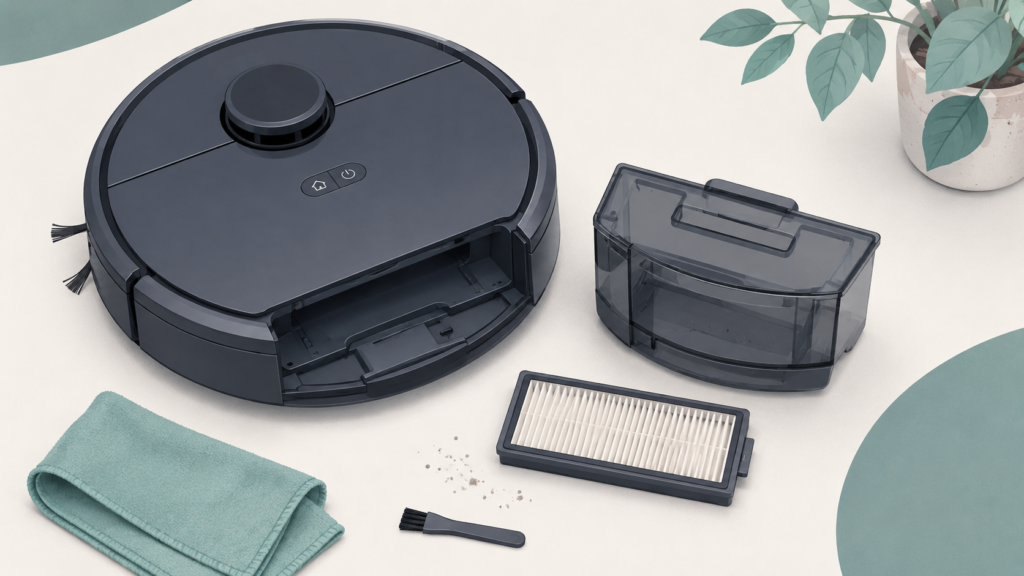
Removing and Emptying the Dustbin
- Power off the robot vacuum, or make sure it’s docked and not mid-cycle.
- Locate the dustbin release latch or button, usually on the top or back of the unit, and remove the dustbin.
- Open the dustbin lid over a trash can and empty the contents.
- Tap or lightly shake the bin to dislodge any debris stuck to the sides.
Cleaning the Dustbin Itself
Some dustbins are designed to be rinsed by hand with water; others should only be wiped out with a dry or barely damp cloth. This varies by model, so check your manual before using water on the bin itself, the same way you would for the filter.
If your manual confirms the bin is washable:
- Remove the filter first, if it sits inside the bin, so it doesn’t get wet.
- Rinse the empty bin with water and let it air-dry completely before reinstalling it.
If your manual doesn’t confirm this, wipe the bin out with a dry or slightly damp cloth instead.
How to Clean the Filter Safely
Removing the Filter
Most filters sit inside or directly behind the dustbin. Open the dustbin (or the robot’s filter compartment) and gently lift or slide the filter out. Avoid bending or twisting it as you remove it.
Clearing Loose Debris
This step is safe for nearly every filter type, washable or not:
- Tap the filter gently against the inside of a trash can to dislodge loose dust and debris.
- Use a soft brush (many robot vacuums include one) to sweep off finer dust that tapping doesn’t remove.
- If your manual allows it, a short burst of low-pressure compressed air can help clear stubborn dust — avoid high-pressure air, which can tear delicate filter material.
If Your Filter Is Washable
Only move on to this step once you’ve confirmed in your manual that your specific filter is designed to be rinsed.
- Rinse the filter under cool or room-temperature running water, letting the water flow through the filter rather than scrubbing it.
- Avoid wringing, twisting, or scrubbing the filter material, which can damage it.
- Gently shake off excess water.
- Set it aside to air-dry completely (see the next section).
If your manual indicates your filter is not washable, skip rinsing entirely and rely on tapping and brushing. Washing a non-washable filter can ruin it and won’t be reversible.
Washable vs. Non-Washable Filters: Why It Depends on Your Model
The material a filter is made from generally determines whether it can be washed. Foam-style and HEPA-style filters are commonly designed to be rinsed and reused, while paper-style or pleated filters are commonly designed to be tapped clean only and eventually replaced rather than washed.
That said, this isn’t a rule you can apply blindly. Different manufacturers default to different filter materials, and even one manufacturer’s own lineup can include both washable and non-washable robot vacuum filter types across different models — or, in some designs, a filter that isn’t meant to be removed by the owner at all. There isn’t one universal answer that applies to every robot vacuum, which is exactly why checking your manual matters more than any general guideline, including this one.
How Long to Let Parts Dry Before Reinstalling
Let it dry completely — don’t rush this step. Any part you’ve rinsed with water needs to be fully air-dried before it goes back into the machine. Reinstalling a damp filter or bin can encourage mold growth or cause damage inside the unit, since the area around the dustbin sits close to the motor housing.
A few practical pointers:
- Set rinsed parts somewhere with good airflow, like near an open window or under a fan.
- Avoid heat sources such as a hair dryer or direct, strong sunlight — heat can warp or damage filter material rather than speed up safe drying.
- If a part still feels even slightly damp to the touch, give it more time.
Common Mistakes Beginners Should Avoid
A quick recap of the cautions above, in one scannable list:
- Washing a filter without checking the manual first.
- Reinstalling a damp or wet filter or bin before it’s fully dry.
- Letting water reach the motor, circuit board, sensors, battery, or charging contacts.
- Assuming cleaning will fix every performance issue — brushes and floor type matter too.
- Letting the dustbin overflow instead of emptying it regularly.
How Often to Check the Dustbin and Filter
There isn’t one cleaning schedule that fits every home or every robot vacuum. How often you should check the dustbin and filter depends on a few things: how often the robot runs, how much dust and debris your home generates, whether you have pets, and how much carpet or rug area it covers compared to hard flooring.
As a general habit rather than a fixed rule, many owners find it useful to glance at the dustbin after each run and give the filter a closer look every so often, adjusting based on what they actually see — more often in a dusty or pet-heavy home, less often in a lower-traffic space. If your robot vacuum has a companion app, it may also offer model-specific maintenance reminders worth following.
When Cleaning May Not Be Enough
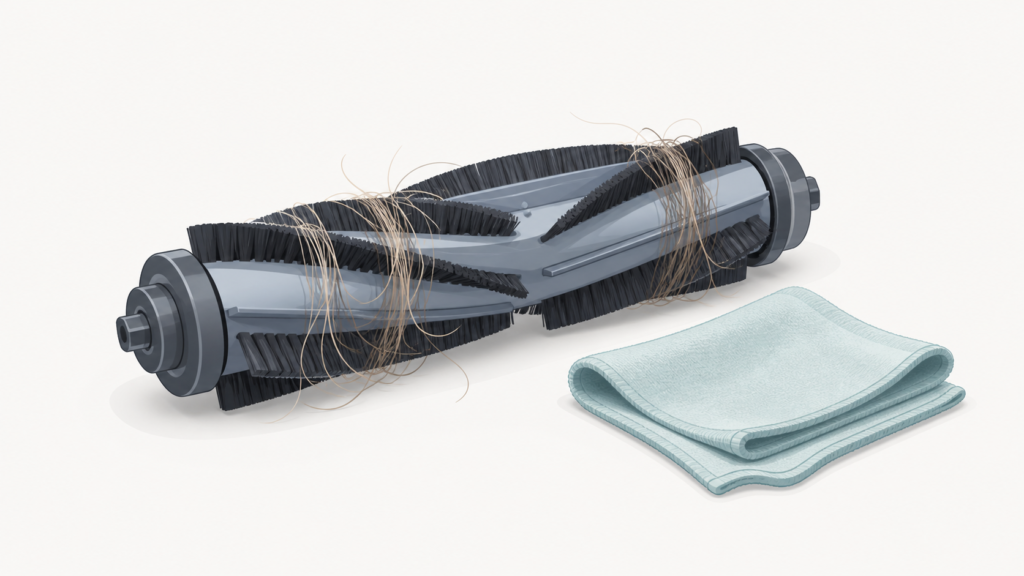
If you’ve cleaned the dustbin and filter and you’re still noticing weaker suction or other performance issues, the cause may lie elsewhere. Suction power depends on several parts working together, not just the filter — worn or tangled brushes can also reduce pickup, and other factors in overall suction performance can play a role as well.
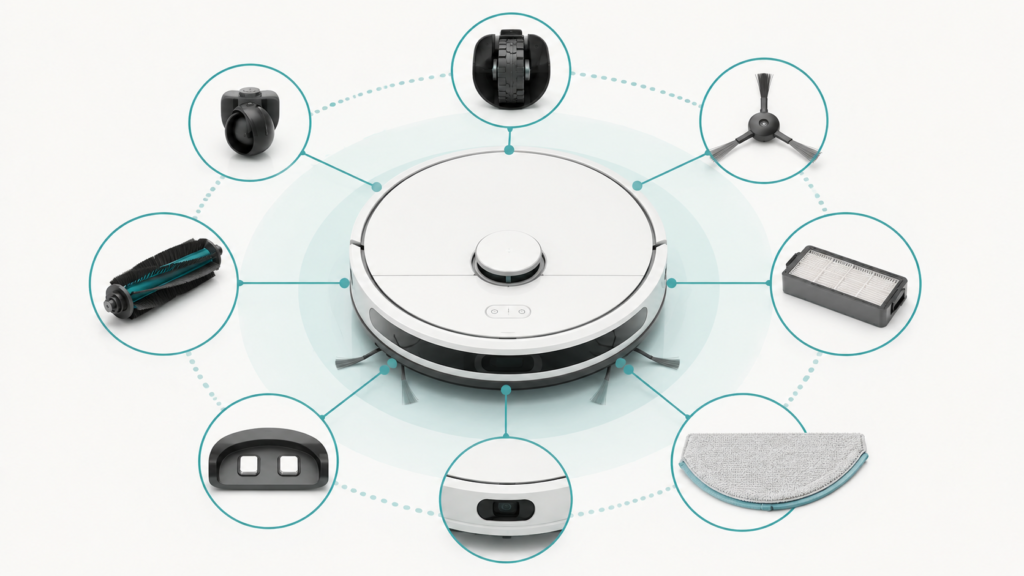
It’s also worth knowing the difference between cleaning a part and replacing it. Filters and other components eventually wear out no matter how well you maintain them, and understanding when robot vacuum parts typically need replacing can help you figure out whether your unit needs a deeper clean or a fresh part.
Simple Maintenance Checklist
- Check your model’s manual before washing any part.
- Empty the dustbin regularly, and after most runs if possible.
- Tap or brush loose debris from the filter — safe for all filter types.
- Rinse the filter only if your manual confirms it’s washable.
- Rinse the dustbin only if your manual confirms it’s washable.
- Let any rinsed part dry completely before reinstalling.
- Keep water away from the motor, circuit board, sensors, battery, and charging contacts.
- Check more often if you have pets, lots of carpet, or a dusty home.
Frequently Asked Questions
Can I wash my robot vacuum’s filter?
It depends on your model. Some filters are designed to be rinsed with water; others are meant to be tapped or brushed clean only. Check your manual first, since washing a non-washable filter can damage it permanently.
How often should I empty the dustbin?
There’s no single number that fits every home. A common starting habit is checking after each run and adjusting based on how quickly debris builds up — more often with pets or lots of carpet, less often in lighter-use homes.
What happens if I put a wet filter back in my robot vacuum?
A damp filter sitting near the motor housing can encourage mold growth or contribute to internal damage, so let any rinsed part dry completely before reinstalling it.
How do I know if my filter is washable?
Check your specific model’s manual or manufacturer support page. Filter material (foam or HEPA-style versus paper or pleated styles) often hints at washability, but it varies enough between models that it shouldn’t be assumed.
Can I wash the dustbin itself?
Some dustbins are designed to be rinsed by hand, while others are not. This is separate from whether the filter is washable, so check your manual for guidance on the bin specifically.
Will cleaning the filter fix my robot vacuum’s suction problem?
It might help if a dirty filter was contributing, but suction depends on multiple factors, including brushes, airflow, and floor type. If issues continue after cleaning, the cause may lie elsewhere.
Is it normal for the dustbin to fill up quickly?
Yes — this is usually just normal use, especially in larger homes, homes with pets, or homes with more carpet and rugs, not a sign something is wrong with the machine.
Final Takeaway
Emptying the dustbin and cleaning the filter are simple, routine habits that most robot vacuum owners can manage without any special tools or expertise. The one detail that matters most is also the easiest to skip: washable and non-washable parts need different handling, and checking your model’s manual before you reach for water is what prevents the most common, avoidable mistakes. Done consistently, this kind of regular maintenance supports your robot vacuum’s day-to-day performance — without any guarantee that it solves every cleaning issue on its own.