Table of Contents
- Quick Answer
- Mapping vs. No Mapping: What Each Term Means
- What Mapping Actually Changes
- What Doesn’t Change Just Because a Model Has Mapping
- Who Actually Needs Mapping (and Who Doesn’t)
- Frequently Asked Questions
- Final Takeaway
Quick Answer
In this robot vacuum mapping vs. no mapping comparison, mapping mainly changes navigation and control, not raw cleaning power. Mapping models generally cover a floor more completely in fewer passes, let you set no-go zones and clean specific rooms, and remember multi-floor layouts. Non-mapping (random-path) models are simpler, cheaper, and can work fine in a small, open, single-level space. What doesn’t change either way: suction power and brush design, which depend on separate specs, not on whether the vacuum maps your home.
Mapping vs. No Mapping: What Each Term Means
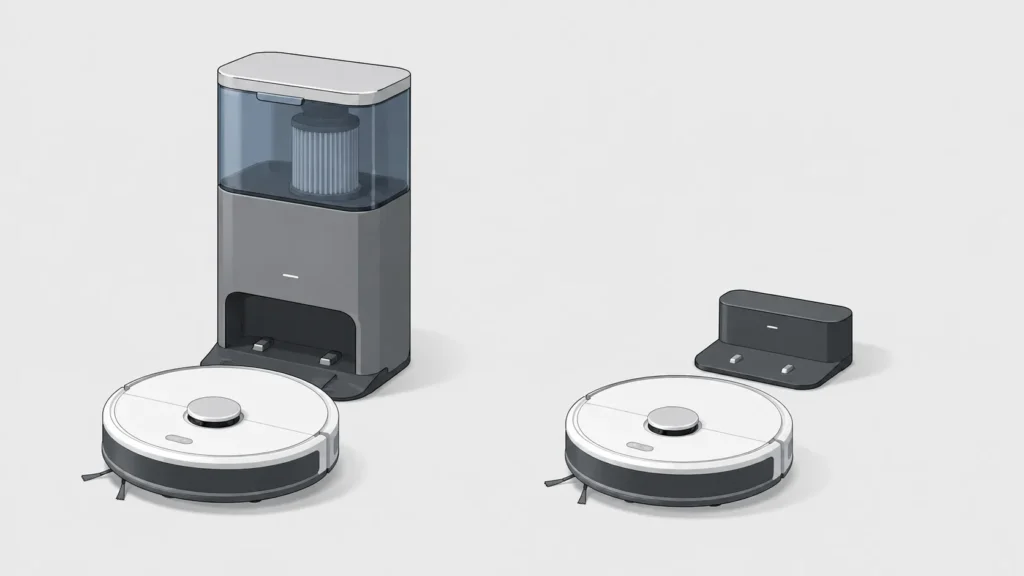
A non-mapping (or “random-path”) robot vacuum moves in a straight line until it bumps into something, turns at a semi-random angle, and repeats. Over enough time it tends to cover most of the floor, but it isn’t following a plan and doesn’t remember your home’s layout between cleanings. A mapping robot vacuum uses a sensor system — usually LiDAR or a built-in camera (vSLAM) — to scan the space, build a digital floor plan, and clean along a calculated path instead of bouncing around.
This article doesn’t re-explain how those sensor systems work at a technical level — for that, see how robot vacuum mapping works and how robot vacuum navigation works. This comparison instead focuses on one question: does paying for mapping capability actually change your day-to-day cleaning results enough to be worth it.
What Mapping Actually Changes
Cleaning Coverage and Fewer Repeated Passes
A mapping vacuum calculates its route in advance instead of moving at random, so it typically covers a room in fewer overlapping passes and leaves fewer missed spots — corners, wall edges, and areas around furniture in particular. A non-mapping model can still get there eventually since it isn’t blind, but random movement means it may pass over the same clean patch of floor multiple times while missing another spot entirely, especially in a room with more furniture or a less open layout.
Room-by-Room and Zone Cleaning Control
Because a mapping vacuum knows which area of the floor plan is which room, you can tell it to clean only the kitchen, skip the bedroom, or run a quick pass over just the entryway. A non-mapping model generally treats a cleaning run as all-or-nothing — it cleans everywhere it can physically reach, with no way to target or exclude a specific room.
No-Go Zones and Off-Limits Areas
A mapping vacuum can be told to avoid a specific area on its floor plan — a pet’s water bowl, a cluttered play area, a room with delicate cables — because it can actually draw a boundary on a map it remembers. A non-mapping model has no persistent map to draw a boundary on, so it can only react to obstacles it physically detects in the moment, not avoid a zone in advance.
Multi-Floor Memory
Mapping models commonly store more than one floor plan and switch to the correct one automatically when moved between levels. Without map memory, a robot vacuum starts from zero every time it’s carried to a different floor — it won’t already “know” that floor’s layout, room boundaries, or any no-go zones you’d set up on it. If a multi-floor home is your main frustration, see our guide on what to know before buying a robot vacuum for a multi-floor home for the fuller buying context.
What Doesn’t Change Just Because a Model Has Mapping
Suction Power and Brush Design Are Separate Specs
Mapping affects where and how a robot vacuum moves, not how strongly it vacuums or how well its brush handles pet hair, fine dust, or different floor types. A mapping model with weak suction can still leave a room less clean than a well-chosen non-mapping model with strong suction. Check suction power and floor-type compatibility separately from the mapping decision — see our explainers on robot vacuum suction power and robot vacuum floor types.
Higher Price and More Setup Steps
Mapping hardware and the processing behind it generally add cost compared to a non-mapping model — non-mapping models are commonly priced well below mapping models for this reason, and can be a genuinely reasonable choice for the right space rather than simply a “worse” option. Mapping models also typically require an initial mapping run and app setup before their room-specific features work, while a non-mapping model is generally closer to unbox-and-run.
| Aspect | Mapping Robot Vacuum | Non-Mapping Robot Vacuum |
|---|---|---|
| Cleaning path | Calculated, systematic | Random, bump-and-turn |
| Room-specific / zone control | Yes, since the layout is remembered | No, cleans everywhere it can reach |
| No-go zones | Supported, drawn on the saved map | Not supported (reacts to obstacles only) |
| Multi-floor memory | Commonly supported | Not applicable, no persistent map |
| Setup | Initial mapping run and app setup needed | Generally closer to unbox-and-run |
| Price | Typically higher | Typically lower |
| Suction power and floor-type handling | Unaffected — a separate spec | Unaffected — a separate spec |
Who Actually Needs Mapping (and Who Doesn’t)
Mapping tends to matter most in a larger home, a home with more than one level, a layout with several distinct rooms, or a household that wants to set no-go zones around pet bowls, cords, or a specific room. If your space is small, open, and mostly one level — a studio or a compact one-bedroom layout, for example — a non-mapping model can realistically do the job without the added cost or setup. For a broader first-time-buyer walkthrough beyond this one comparison, see our robot vacuum buying guide for beginners. If you’ve already decided mapping matters and are choosing between mapping sensor types for an upgrade, see basic vs. LiDAR robot vacuum: what you actually gain by upgrading instead — that’s a different, later-stage decision than this one.
Frequently Asked Questions
Is a robot vacuum with mapping always better than one without?
Not universally — it’s better specifically for coverage efficiency, room control, and multi-floor use. In a small, simple, single-level space, a non-mapping model can cover the floor just fine without those extras.
Does a non-mapping robot vacuum still avoid obstacles?
Yes, but reactively rather than by planning ahead. It typically relies on basic bump or infrared sensors to detect something in front of it and change direction, rather than knowing in advance where obstacles are on a map.
Do I have to re-map my home every time a mapping robot vacuum cleans?
No. Most mapping models scan and save the layout during an initial run, then reuse that saved map for future cleanings unless the room layout changes significantly enough to need a re-scan.
Will mapping fix a robot vacuum that keeps missing spots?
It can help if the cause is random, unplanned movement. If the cause is something else — a dirty sensor, a stuck wheel, or a low battery cutting cleaning short — mapping alone won’t resolve it; see our explainer on why a robot vacuum stops working for other common causes.
Final Takeaway
Mapping is worth it if you have a larger, multi-room, or multi-floor home, or if room-specific control and no-go zones would actually solve a problem you have. It’s not worth paying extra for in a small, simple, single-level space, where a non-mapping model can reasonably keep up. The decision comes down to your floor plan and how much control you actually want over where the vacuum cleans — not whether mapping is the more “advanced” feature on paper.