Table of Contents
- Quick Answer
- Basic vs. LiDAR Robot Vacuum: What Each Term Means
- What You Actually Gain With a LiDAR Upgrade
- What Doesn’t Automatically Improve
- Who Actually Benefits Most From Upgrading
- Frequently Asked Questions
- Final Takeaway
Quick Answer
Moving from a basic robot vacuum to a LiDAR model mainly changes navigation, not cleaning power. In this basic vs. LiDAR robot vacuum comparison, the real gains are more accurate mapping, reliable cleaning in low light or dark rooms, multi-floor map memory, and more precise no-go zones. What doesn’t automatically improve: suction power, debris pickup, and overall cleaning quality — those are separate specs. LiDAR models also tend to cost more and sit slightly taller because of the sensor housing.
Basic vs. LiDAR Robot Vacuum: What Each Term Means
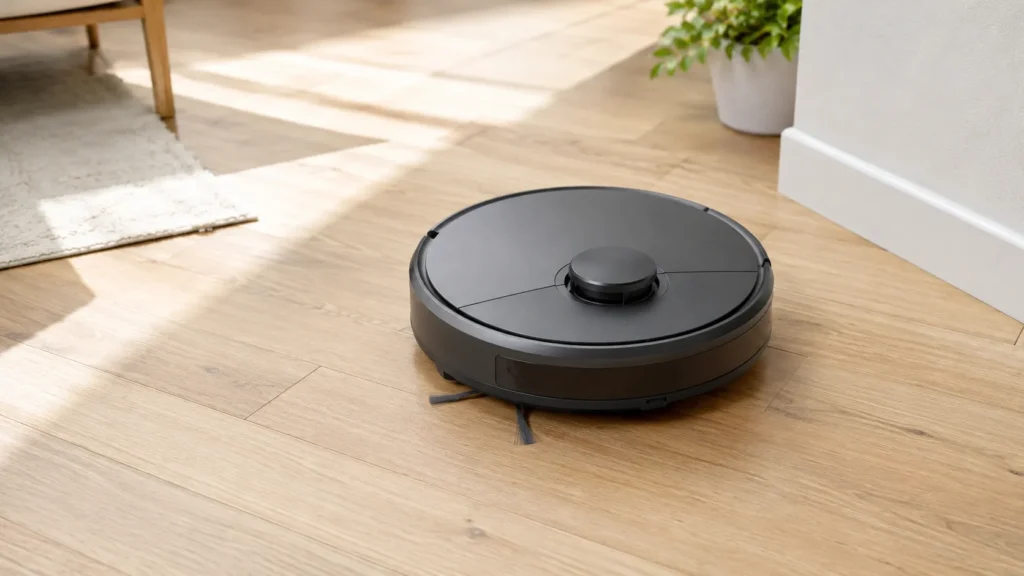
“Basic” here means a robot vacuum that either moves with simple random or bump-and-run navigation (no persistent map at all) or uses an entry-level camera-based (vSLAM) system without full mapping memory. “LiDAR” means a robot vacuum with a dedicated laser-based mapping sensor, usually visible as a small raised turret on top of the unit.
This article does not re-explain how these sensor types work at a technical level — for that, see how robot vacuum navigation works and how robot vacuum mapping works. This comparison instead focuses on one question: if you already own a basic model, what actually changes about your day-to-day cleaning results if you upgrade to LiDAR.
What You Actually Gain With a LiDAR Upgrade
More Accurate Mapping and Cleaning Paths
LiDAR uses laser pulses to measure distance in every direction, which typically produces a more precise and consistent map than a basic bump-and-run or entry camera-based system. In practice, this tends to mean fewer missed spots, less repeated cleaning of the same area, and a cleaning path that more closely follows your home’s actual layout. See our full explainer on how robot vacuum mapping works for more on how this precision is generated.
Reliable Cleaning in Low Light or Dark Rooms
Camera-based navigation depends on ambient light, so a basic vSLAM model may struggle or hesitate in dim rooms, closets, or at night. LiDAR uses laser sensors rather than visible light, so mapping accuracy generally holds up in low-light and fully dark conditions. This is a genuine gain specifically for readers whose current basic model is camera-based; a non-mapping bump-and-run model doesn’t have a lighting-dependent map to begin with, so this benefit is really about upgrading to a mapping system in the first place, with LiDAR removing the lighting condition as a variable.
Multi-Floor Map Memory
Many basic models either don’t retain a map at all or lose it as soon as the robot is carried to a different floor. LiDAR-equipped models more commonly support saving multiple separate floor maps and recalling the right one automatically. If a multi-floor home is your main frustration, see our guide on what to know before buying a robot vacuum for a multi-floor home for the fuller buying context.
More Precise No-Go Zones and Room Selection
Setting a no-go zone or choosing to clean only specific rooms depends on the robot actually having an accurate map to draw those boundaries on. Basic models without reliable mapping often can’t support this feature meaningfully, even if the app technically offers a version of it. A precise LiDAR map generally makes room selection and no-go zones behave the way the app suggests they should. For the fuller mapping-vs-no-mapping picture, see our full comparison.
What Doesn’t Automatically Improve
It’s easy to assume LiDAR makes a robot vacuum “better” across the board. In practice, it upgrades navigation and mapping specifically — not the parts of the machine responsible for actual dirt and debris pickup.
Suction Power and Cleaning Quality Are Separate Specs
A LiDAR sensor has no effect on suction power, brush design, or how well the vacuum handles pet hair, fine dust, or different floor types. A LiDAR model with weak suction can still leave a room less clean than a basic model with strong suction. If cleaning performance itself is your main concern, check our explainers on robot vacuum suction power and floor types separately from any navigation upgrade.
Higher Price and a Slightly Taller Design
LiDAR hardware and the processing it requires generally add cost compared to a basic model, and the sensor turret typically adds a small amount of height to the unit — worth checking if you clean under low furniture. Battery life can also be marginally affected by the sensor’s continuous operation, though manufacturer guidance describes this effect as generally minor and often offset by more efficient, less repetitive cleaning paths.
| Aspect | What Actually Changes With LiDAR |
|---|---|
| Mapping accuracy | More precise; fewer missed spots or repeated passes |
| Dark or low-light rooms | Reliable, since LiDAR doesn’t depend on ambient light |
| Multi-floor memory | Commonly supported, though it still varies by model |
| No-go zones / room selection | More precise, since boundaries follow an accurate map |
| Suction power and cleaning quality | No change — a separate spec entirely |
| Price and height | Typically higher cost and a slightly taller unit |
Who Actually Benefits Most From Upgrading
This upgrade tends to matter most if your current basic model struggles specifically with navigation-related problems: missed rooms, repeated passes over the same area, trouble in dim rooms, or losing track of a multi-floor layout. If your basic model’s navigation is already working fine and your main complaint is cleaning power itself, a LiDAR upgrade may not address that — and if your current unit is failing for unrelated reasons (age, worn parts, a broken component), see when to replace a robot vacuum to work out whether replacement or a feature upgrade is the more relevant decision.
Frequently Asked Questions
Is LiDAR always better than a basic robot vacuum?
Not universally — it’s better specifically for navigation and mapping accuracy. Cleaning performance depends on separate factors like suction and brush design, which LiDAR does not change.
Does LiDAR reduce battery life noticeably?
Manufacturer guidance generally describes the effect as minor, since the sensor’s own power draw is small and more efficient mapping can offset it by reducing repeated cleaning passes. It’s a factor to be aware of, not a major downside.
Will a LiDAR upgrade fix a robot vacuum that keeps missing spots?
It can help if the cause is inaccurate mapping or navigation confusion. If the cause is something else — like sensor dirt, obstacles, or a mechanical issue — a LiDAR upgrade won’t resolve it on its own.
Do all LiDAR robot vacuums support multiple floor maps?
Multi-floor map memory is common on LiDAR models but isn’t guaranteed on every one. Check the specific model’s stated map capacity rather than assuming it from the presence of LiDAR alone.
Final Takeaway
A LiDAR upgrade is worth considering if your basic robot vacuum’s actual problems are navigation-related — missed spots, trouble in dim rooms, or a multi-floor home it can’t keep straight. It’s not a fix for weak suction, poor debris pickup, or floor-type struggles, since those depend on separate parts of the machine entirely. Knowing which category your frustration falls into is the real decision point, not the sensor name on the box.