If you’ve spent any time comparing robot vacuum listings, you’ve probably noticed a runtime number front and center, usually expressed in minutes per charge. It’s tempting to treat that number like a simple spec to maximize: bigger is better, right? Not quite. Battery life is a real, practical factor, but it behaves more like one piece of a larger picture than a standalone score. This guide walks through what battery life actually means on a product listing, what can make real-world runtime different from the advertised figure, and what to look for before you buy — without pointing you toward any specific model.
Table of Contents
- Quick Answer
- What “Battery Life” Means on Robot Vacuum Listings
- Why Advertised Runtime May Not Match Real-World Use
- Why Home Size and Layout Matter
- What Recharge-and-Resume Means
- Why Runtime Numbers Are Not Always Easy to Compare
- Battery Life, Suction Power, and Cleaning Expectations
- Battery Life and Floor Types
- What to Check Before Buying
- Common Mistakes Beginners Should Avoid
- Beginner Checklist Before You Compare Battery Life
- FAQ
- Final Takeaway
Quick Answer
Battery life is a useful number to know, but it isn’t a guarantee of how a robot vacuum will perform in your home. Runtime can shift depending on the cleaning mode or suction setting in use, the floor type being cleaned, and the size and layout of the space. Some models can also recharge and resume a cleaning run automatically, which can matter as much as the single runtime figure on the box. Rather than choosing based on the largest number, it helps to understand what that number actually represents and what else affects it.
What “Battery Life” Means on Robot Vacuum Listings
When a robot vacuum listing advertises a runtime — say, a certain number of minutes per charge — that figure is typically a manufacturer-reported reference point, not a promise of identical performance in every home. Manufacturers generally measure runtime under specific test conditions, which may include a particular cleaning mode, a particular floor surface, or other controlled settings that aren’t always spelled out on the product page.
That doesn’t mean the number is meaningless. It’s a reasonable starting point for understanding roughly how long a unit can run before it needs to recharge. But it’s worth reading it the same way you’d read a car’s fuel-economy estimate: a useful reference figure, shaped by specific test conditions, rather than a fixed outcome you’ll experience in every situation.
Why Advertised Runtime May Not Match Real-World Use
Several everyday factors can cause your actual experience to differ from the number on the listing. None of these factors works alone — they combine, which is part of why a single runtime figure can’t fully predict your results.
Cleaning Mode and Suction Setting
Many robot vacuums offer more than one cleaning mode, and the modes aren’t only about thoroughness — they can also affect how much battery is used. Some models include a more intensive, localized cleaning mode that boosts suction for a smaller area, which uses more power than a standard whole-room pass. If your routine relies on a higher-suction setting more often, you may see shorter runtime than a household that mostly uses a standard or eco-style mode.
For more on what suction power actually measures and why a higher number doesn’t automatically mean better cleaning, see Robot Vacuum Suction Power Explained.
Carpet Boost and Floor Type
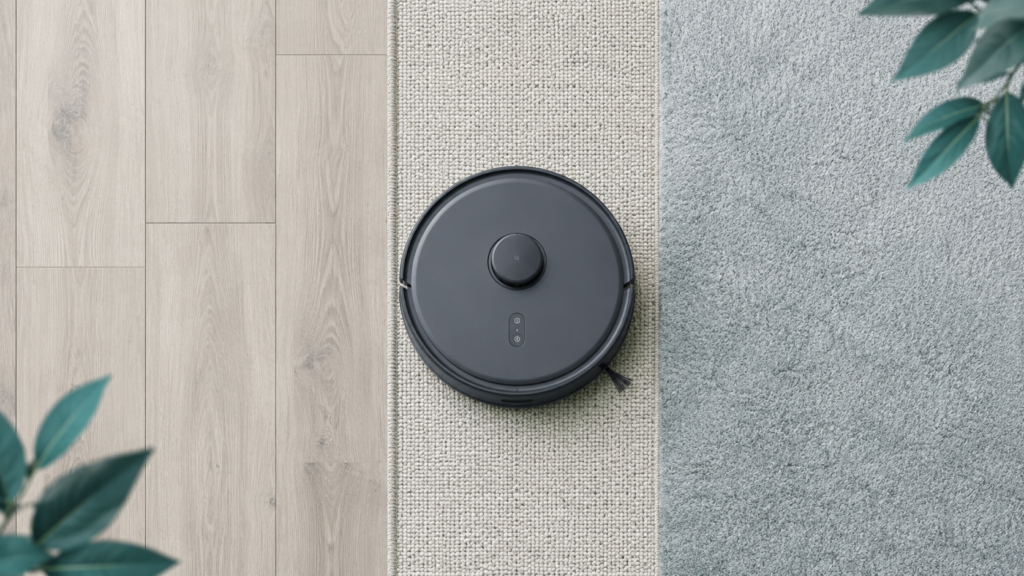
Some robot vacuums are designed to automatically increase suction power when they detect carpet, then reduce it again on hard floors to conserve battery. This kind of automatic adjustment is a documented feature on some models, but it isn’t universal — not every robot vacuum adjusts its power this way, and the exact trigger and behavior vary by manufacturer. If your home is mostly carpeted, a model with this kind of automatic boost may use more battery per session than it would on an all-hard-floor layout.
This is closely related to floor-type behavior more broadly, which is covered in more depth in Robot Vacuum Floor Types Explained.
Debris Level and Home Layout
A heavily soiled area, a layout with lots of furniture and turns, or a home with pets that shed regularly can all mean more work per square foot than a simple, lightly used open space. None of this is captured in a single advertised runtime figure, since that number reflects a controlled test scenario rather than your household’s actual day-to-day conditions.
Why Home Size and Layout Matter
A long runtime matters most when there’s a lot of ground to cover in one session. In a small apartment or a single open room, even a relatively modest runtime may be more than enough to finish a full cleaning pass. In a larger home, a multi-room layout, or a home with multiple levels needing separate cleaning, runtime — and whether the unit can recharge and resume automatically — becomes a more meaningful factor.
This is also where the broader buying picture matters: battery life is just one of several considerations alongside navigation, suction, and floor type that beginners weigh when choosing a robot vacuum. For that wider view, see Robot Vacuum Buying Guide for Beginners.
What Recharge-and-Resume Means
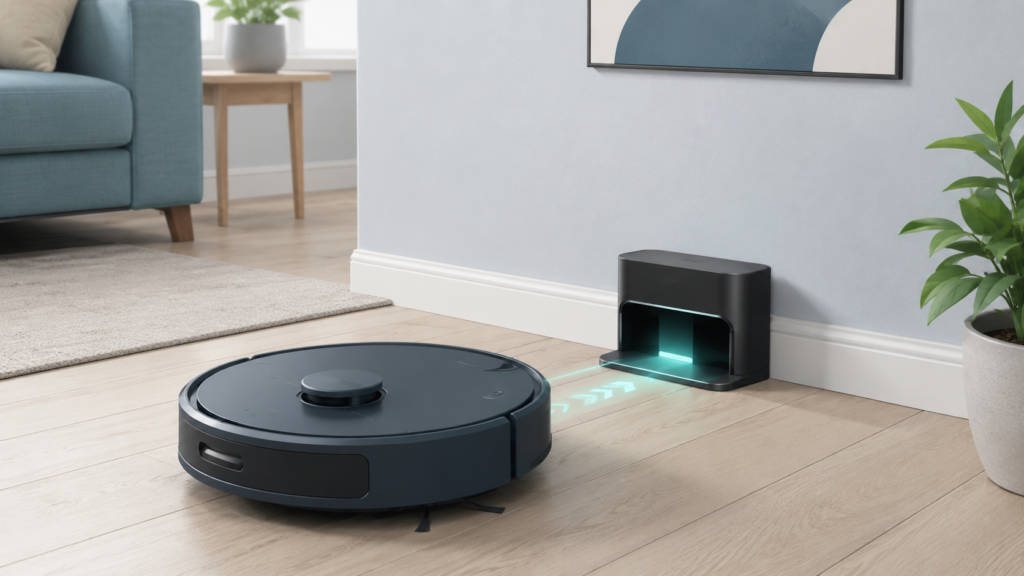
Recharge-and-resume (sometimes called auto-recharge or a similar name depending on the brand) is a feature on some robot vacuums that lets the unit return to its charging dock when the battery runs low, charge for just long enough to finish the job, and then continue cleaning from roughly where it left off rather than starting over.
This matters because it changes how much weight a single runtime number should carry. A robot vacuum with a shorter advertised runtime but reliable recharge-and-resume behavior may still be able to complete a large cleaning job across more than one charge cycle, simply continuing automatically instead of requiring you to restart it. Not every model offers this feature, and how it’s implemented varies — some rely on the robot’s existing map of the space to know what’s already been cleaned, while simpler models may behave differently. If this feature matters to your home size, it’s worth checking specifically rather than assuming every model includes it.
Why Runtime Numbers Are Not Always Easy to Compare
Because runtime can depend on cleaning mode, floor type, and other test conditions, a number from one brand isn’t automatically equivalent to the same number from a different brand. One manufacturer’s listed runtime might reflect a standard or eco mode on hard flooring, while another’s might reflect different conditions entirely — and that context isn’t always stated clearly on a product page.
This doesn’t mean runtime figures are useless — it means they’re most useful as a general reference rather than a precise comparison across brands.
Battery Life, Suction Power, and Cleaning Expectations
Battery life and suction power are often listed side by side on a spec sheet, and it’s easy to assume that more of either is automatically better. In practice, the two interact: a higher suction mode can clean more intensively, but it can also draw more battery. Reading them together — rather than maximizing one number in isolation — gives a more realistic sense of how a unit might perform in your home.
Battery Life and Floor Types
As mentioned earlier, floor type can influence how much battery a cleaning session uses, particularly on models that automatically adjust suction for carpet. This is worth keeping in mind specifically for battery planning: a home that’s mostly carpet may see different real-world runtime than the same model would show on an all-hard-floor layout. The fuller explanation of how floor type affects a robot vacuum’s behavior more broadly — including brush contact, navigation, and maintenance — is covered in the floor-types guide linked earlier in this article.
What to Check Before Buying
Rather than focusing on a single runtime number, it can help to look at a few related details together:
- Manufacturer’s runtime explanation. Does the listing or manual say what conditions the runtime figure was measured under (a specific mode, a specific floor type)?
- Available cleaning modes. Are there multiple modes, and do they affect runtime differently?
- Recharge-and-resume. Does the model offer this, and how is it described?
- Home size and layout. Does your space genuinely need a long single-run runtime, or would a shorter runtime plus recharge-and-resume be enough?
- Floor types in your home. If you have a lot of carpet, does the listing mention automatic power adjustment for that surface?
- General battery care notes. Manufacturer documentation may include basic guidance on charging and storage. Battery behavior and runtime can change somewhat over the life of the unit, but that’s a separate, ownership-stage topic — for guidance on replacement timing and wear signs once you already own a robot vacuum, see How Often Should You Replace Robot Vacuum Parts?
| Battery-life factor | Why it matters | What beginners should check |
|---|---|---|
| Cleaning mode / suction setting | Higher-suction or intensive modes can use more battery per session | Whether the listing explains which mode the runtime figure reflects |
| Carpet boost / floor type | Some models automatically use more power on carpet | Whether automatic power adjustment is mentioned, and how much carpet you have |
| Home size / layout | More space and more rooms generally mean more cleaning per session | Whether your home needs one long run or could rely on recharge-and-resume |
| Recharge-and-resume | Can reduce how much a single runtime number matters | Whether the model offers this and how it’s described |
| Manufacturer runtime explanation | Runtime figures reflect specific test conditions, not universal results | Whether the listing states the conditions behind the advertised number |
A caution worth keeping in mind: an advertised runtime figure describes a specific test scenario, not a guarantee that the unit will finish your entire home in one pass. Treat it as a helpful reference point to weigh alongside the factors above, not as the deciding spec on its own.
Common Mistakes Beginners Should Avoid
- Choosing based only on the biggest runtime number. A longer runtime isn’t automatically the better choice if your home is small or if the model lacks other features you need.
- Assuming runtime guarantees full-home coverage. Layout, debris level, and cleaning mode all affect how far a single charge actually goes.
- Comparing numbers without checking the conditions behind them. A runtime figure from one brand may reflect different test conditions than a similar-looking figure from another.
- Ignoring recharge-and-resume and navigation. A model that reliably finds its way back to the dock and resumes cleaning can matter more than a slightly longer single-run number.
Beginner Checklist Before You Compare Battery Life
- Have I checked what conditions the advertised runtime was measured under?
- Do I know whether the model offers recharge-and-resume, and how it works?
- Have I thought about my home’s actual size and layout, not just the runtime number?
- Have I considered how much carpet versus hard floor I have?
- Am I comparing runtime alongside suction mode and navigation, rather than on its own?
- Am I avoiding the assumption that a bigger number is automatically the better choice?
FAQ
Does a robot vacuum with a longer runtime always clean better?
Not necessarily. A longer runtime means the unit can run for more time before recharging, but it doesn’t by itself say anything about suction quality, navigation, or how well the unit handles your specific floors. Battery life is one factor among several worth weighing together.
Why might my robot vacuum’s actual runtime be shorter than the advertised figure?
Advertised runtime is typically measured under specific test conditions, such as a particular cleaning mode or floor type. Using a higher-suction mode, cleaning more carpet, or covering a more complex layout can all use more battery than the conditions used to produce the advertised number.
Does floor type affect how long a robot vacuum’s battery lasts during a cleaning run?
It can, on some models. Certain robot vacuums automatically increase suction power on carpet and reduce it on hard floors to manage battery use, so a more carpet-heavy home may see different real-world runtime than an all-hard-floor home would with the same unit.
What does recharge-and-resume mean, and do all robot vacuums have it?
Recharge-and-resume describes a feature where the robot returns to its dock when battery is low, charges enough to finish the job, and then continues cleaning roughly where it left off. Not every model includes this, and how it works can vary by brand, so it’s worth checking specifically if it matters to you.
How much does home size matter when weighing battery life as a buying factor?
Quite a bit. A small apartment or single open room may not need a long runtime at all, while a larger home, multiple rooms, or multiple levels needing separate cleaning sessions is where runtime and recharge-and-resume become more meaningful considerations.
Can I directly compare runtime numbers between two different brands?
Not always reliably. Different manufacturers may report runtime under different conditions, so a number from one brand isn’t guaranteed to mean the same thing as a similar number from another brand. Treat runtime as a general reference rather than a precise, like-for-like comparison across brands.
Does using a stronger suction setting use more battery?
Generally, yes, on models that offer adjustable suction or a more intensive cleaning mode. A more powerful setting can clean more thoroughly in a smaller area, but it typically draws more battery than a standard or eco-style mode.
Does a robot vacuum’s battery life change over time?
Battery performance can shift somewhat as a unit ages, the way most rechargeable batteries do. That’s a separate, ownership-stage topic from choosing battery life before you buy — see the manufacturer-care guidance linked earlier in this article if you’d like to read more about replacement timing and signs of wear once you already own a robot vacuum.
Final Takeaway
Battery life is a genuinely useful thing to understand before buying a robot vacuum, but it works best as one planning factor among several rather than the single deciding spec. Reading a runtime number alongside cleaning mode, floor type, home size, and recharge-and-resume capability gives a far more realistic picture than chasing the largest number on the page.