Table of Contents
- What Robot Vacuum Navigation Means
- Why Navigation Matters for Cleaning Results
- Random and Bounce Navigation
- Gyroscope and Inertial Navigation
- Camera-Based (vSLAM) Navigation
- LiDAR (LDS) Navigation
- Obstacle Sensors vs. Navigation Systems
- Mapping, Room Recognition, and No-Go Zones
- Beginner-Friendly Considerations When Comparing Listings
- Frequently Asked Questions
- Final Takeaway
What Robot Vacuum Navigation Means
When you start comparing robot vacuums, you’ll quickly notice the listings throw around terms like “smart navigation,” “AI mapping,” “LiDAR,” and “vSLAM” as if they all mean the same thing. They don’t.
It helps to separate two related but different ideas. Navigation is how the robot decides where to move next — whether it has a strategy at all, or whether it’s mostly reacting to whatever it bumps into. Mapping is whether the robot builds and remembers an actual floor plan of your home, room by room, that it can refer back to later.
Some navigation methods support mapping. Others don’t. A robot vacuum can move around your home reasonably well without ever building a map, and a robot vacuum that does build a map isn’t automatically “smarter” in every sense — it just has more information to work with. Understanding which navigation method a model uses, and whether that method includes mapping, will tell you far more about how it will actually behave in your home than a marketing phrase like “AI-powered” ever will.
This guide walks through the main navigation methods used in robot vacuums today, how each one works, and what its main trade-off tends to be. It does not rank these methods against each other or present one universal choice — because the right fit depends on your own space, budget, and expectations.
Why Navigation Matters for Cleaning Results
Navigation method matters because it shapes three things you’ll actually notice while living with the vacuum:
- Cleaning pattern. Some methods drive the robot in organized, parallel rows across a room. Others move in a less predictable pattern, changing direction mainly when something gets in the way.
- Total cleaning time. A more organized cleaning pattern tends to cover a space more efficiently, while a less structured pattern may need more time, or more passes, to reach the same level of coverage.
- How consistently obstacles are handled. Navigation method affects how a robot approaches furniture, walls, and tight spaces — though, as covered later, this is also influenced by separate obstacle-detection sensors, not navigation alone.
None of this means one method is flatly “better” in every home. A smaller, simpler space may do just fine with a more basic method, while a larger, more complex layout often benefits more from a method that builds a map. The rest of this guide explains the trade-offs so you can judge that for your own situation.
Random and Bounce Navigation
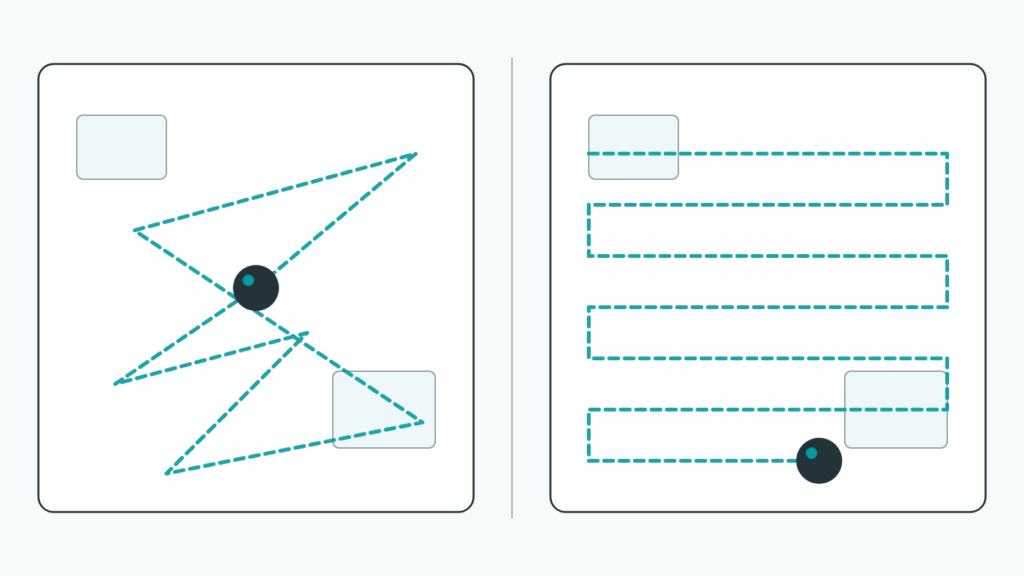
Random (sometimes called “bounce”) navigation is the simplest method still used in robot vacuums today. The robot moves in a relatively unstructured way, and rather than following a planned route, it keeps going in a direction until it makes contact with something — a wall, a piece of furniture — and then changes direction.
There’s no persistent floor map behind this approach. The robot isn’t tracking which areas it has already covered in any detailed way, which means it can end up cleaning some spots multiple times while leaving others lightly covered or missed entirely on a given run. Over a long enough cleaning session, it may still cover most of an open area reasonably well, but the coverage tends to be inconsistent rather than guaranteed.
This doesn’t mean random navigation is useless — it’s often found on simpler, lower-cost models, and for a small, open, relatively obstacle-free room, it can still get the job done well enough for many people. The trade-off is predictability: you’re trading a guaranteed, even pattern for a lower price point.
Gyroscope and Inertial Navigation
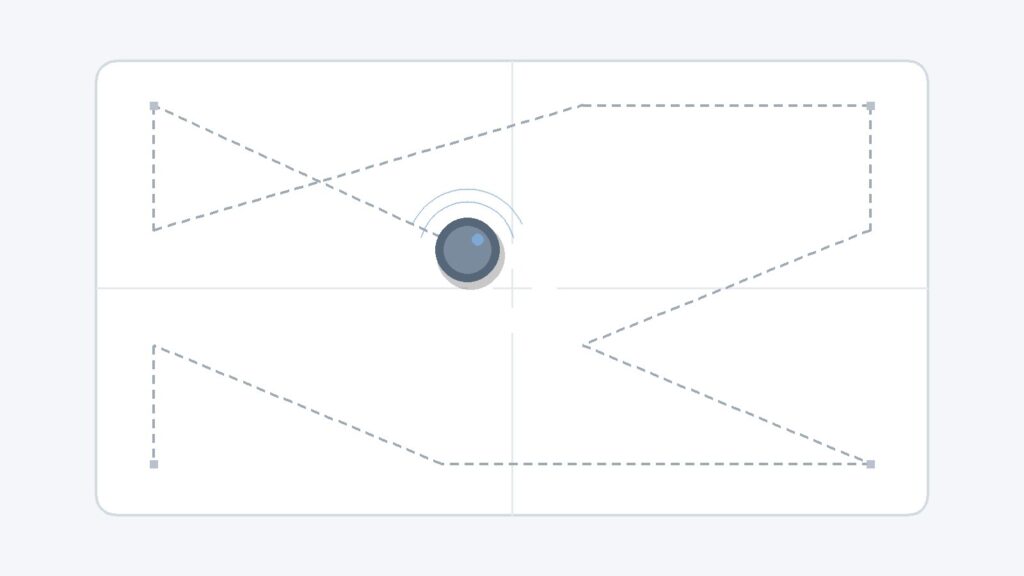
Gyroscope-based (or inertial) navigation is a step up from pure random movement, but it’s still not full mapping. These systems use motion sensors to track the robot’s turns and direction as it moves, giving it a basic internal sense of “I just turned this way” or “I’ve been moving in this direction for a while.”
This sense of direction lets the robot follow a somewhat more organized cleaning pattern than random navigation — for example, attempting straighter lines for a portion of the room — without building or storing a detailed map of your home. Because there’s generally no persistent map, this method usually can’t support the room-by-room features (like naming rooms or setting no-go zones) that come with mapping-based navigation, covered later in this guide.
Gyroscope navigation is commonly found on budget and mid-range models. It’s a reasonable middle ground: more structured than pure random movement, but without the cost usually associated with camera- or laser-based mapping systems.
Camera-Based (vSLAM) Navigation
Camera-based navigation, often called vSLAM (visual Simultaneous Localization And Mapping), is one of the two main methods that actually build a usable map of your home. In plain terms: the robot’s camera continuously takes images as it moves, and software stitches those images together — a bit like a panorama photo — into a map it can use to keep track of where it’s been and where it still needs to go.
Because this method relies on a camera, it’s generally more sensitive to lighting conditions than laser-based systems. In a well-lit room, a vSLAM system can build and use its map effectively. In dim lighting — at night, in a room with the blinds closed, or in spaces with low ambient light — recognizing visual landmarks can become harder, and mapping or navigation accuracy can be affected as a result. The exact degree varies by model and lighting situation, so it’s worth checking a specific product’s documentation rather than assuming a fixed number.
The advantage of vSLAM is that it often costs less to implement than laser-based mapping while still providing real mapping features — room recognition, no-go zones, and more organized cleaning patterns — making it a common choice in the mid-range of the market.
LiDAR (LDS) Navigation
LiDAR (Light Detection and Ranging), sometimes labeled LDS (laser distance sensor) on product listings, is the other main mapping method, and it works differently from a camera. A small sensor — often visible as a raised turret on top of the robot — spins around while emitting laser pulses. By measuring how long each pulse takes to bounce off a nearby object and return, the robot can estimate distances to nearby walls and furniture in multiple directions, and use that information to build a map.
Because it relies on distance measurement rather than recognizing visual landmarks, LiDAR navigation is generally less dependent on room lighting than camera-based navigation. As a general tendency, LiDAR-based systems also tend to build a usable map quickly, though mapping speed and accuracy still vary by model and home layout. This is a general pattern, not a universal rule for every individual product, and it shouldn’t be read as a claim that LiDAR is automatically “better” overall — it often comes with a higher price than simpler navigation methods, and for many homes, the practical difference may not matter as much as the price gap.
If you already own a basic model and are weighing whether the upgrade is worth it, see our comparison of what upgrading to it actually changes.
Obstacle Sensors vs. Navigation Systems
It’s easy to assume that “navigation type” and “obstacle avoidance” are the same thing, but they’re separate layers that work together. A robot vacuum’s navigation method decides its general strategy for moving through a space; separate sensors handle the moment-to-moment job of noticing what’s directly in front of, or below, the robot.
Infrared Sensors
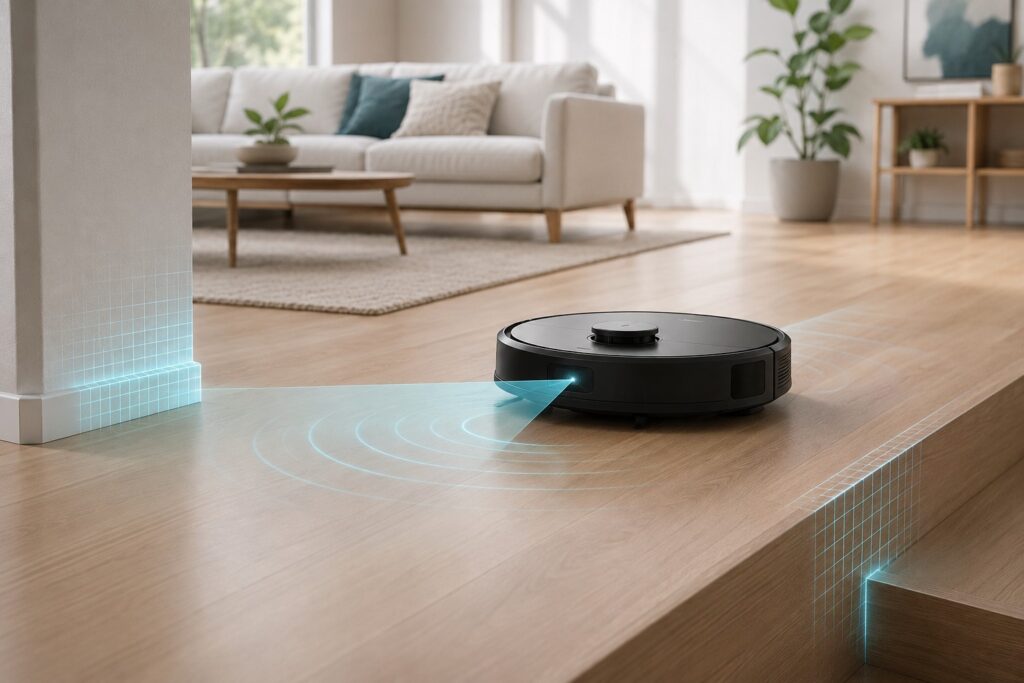
Infrared sensors work by emitting infrared light and measuring how it reflects back. This gives the robot a way to judge the distance to nearby objects and helps it adjust course before making contact, regardless of which navigation method it’s using.
Cliff Sensors
Cliff sensors are aimed downward, usually near the front and underside of the robot. They work the same basic way as obstacle-detection infrared sensors, but pointed at the floor: by measuring how long it takes a reflected light beam to return, the robot can detect a sudden increase in distance — a sign of a stair edge or other drop-off — and stop or reverse before going over the edge.
Bump Sensors
Bump sensors are a more basic, physical layer: touch-sensitive bumpers or pads around the robot’s perimeter that register actual contact with an obstacle. They often serve as a backup for cases where other sensors don’t catch an obstacle in time, helping the robot adjust without excessive force.
No combination of sensors and navigation method should be assumed to catch every possible hazard. Thin furniture legs, dark-colored objects, cords, and certain floor transitions can still occasionally trip up even well-equipped systems, which is part of why checking a space for a few known trouble spots before a cleaning run is still a reasonable habit regardless of which model you have.
Mapping, Room Recognition, and No-Go Zones
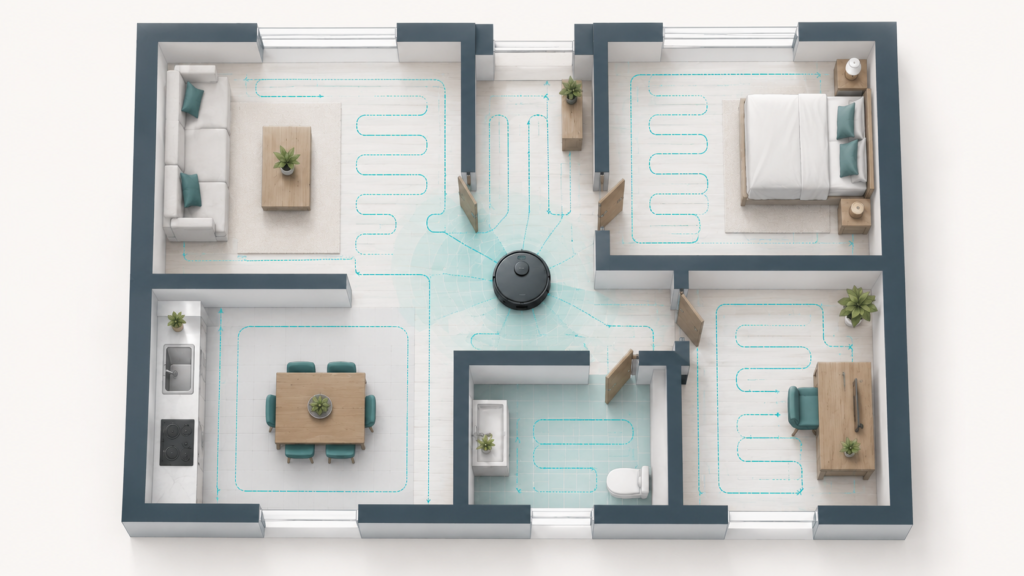
For robot vacuums that do build a map — generally those using vSLAM or LiDAR navigation — that map often becomes the foundation for several features you’ll see advertised: identifying separate rooms, letting you label them in an app, and setting “no-go zones” or virtual boundaries that the robot avoids on future cleaning runs.
In practice, this usually means the app shows you a floor plan built from previous cleaning sessions, and you can mark off an area — say, around a pet’s food bowls or a cluttered cable area — that you don’t want the robot to enter. That boundary is then stored as part of the saved map and referenced on later runs, rather than something you have to set up every single time.
This is one of the clearest practical differences between mapping-based navigation (vSLAM or LiDAR) and non-mapping methods (random or basic gyroscope navigation). Without a persistent map, there’s generally nothing for a no-go zone to attach to, which is why these app-based features are usually tied to the higher tier of navigation methods rather than available across every model. Exact app features and setup steps vary by brand and model, so it’s worth checking a specific product’s own documentation for how its mapping and zone features actually work.
Beginner-Friendly Considerations When Comparing Listings
You don’t need to become a robotics expert to use this information — you mainly need a few signals to watch for when reading a product listing:
- Look for the word “mapping,” “LiDAR,” “LDS,” or “vSLAM” in the description. If none of these appear, the model likely uses a more basic navigation method (random or gyroscope-based), which isn’t necessarily bad, but it’s good to know going in.
- If lighting in your home is inconsistent or often dim, keep that in mind for camera-based (vSLAM) systems specifically, since this method is often more sensitive to lighting conditions than laser-based systems.
- If you want app features like no-go zones or room-specific cleaning, look specifically for mapping-capable navigation (vSLAM or LiDAR) rather than assuming all “smart” robot vacuums include these features. See our full mapping vs. no mapping comparison for what that choice actually changes.
- Remember that features and performance can vary by model even within the same navigation type — two LiDAR-equipped robots, for example, won’t necessarily behave identically. Treat navigation type as one useful filter, not the only factor that matters.
This guide intentionally stops short of recommending a specific product or brand. If you’re still working out which overall factors matter most for your situation — budget, floor type, household size, and more — our robot vacuum buying guide for beginners covers that broader decision in more detail.
Frequently Asked Questions
Is LiDAR always better than a camera-based (vSLAM) system?
Not necessarily “better” in every sense — it’s a trade-off. LiDAR generally performs consistently regardless of lighting and maps a space quickly in many cases, but it often costs more. vSLAM is often more budget-friendly while still offering real mapping features, with the trade-off that its performance can be more affected by lighting conditions. Which one fits your situation depends on your budget and your home’s lighting, not a universal ranking.
Can a robot vacuum without mapping still avoid obstacles?
Yes. Obstacle avoidance generally comes from separate sensors — infrared, cliff, and bump sensors — that work regardless of which navigation method the robot uses. A robot using random or gyroscope navigation can still have these sensors; it just won’t build or remember a floor map the way a vSLAM or LiDAR-based model does.
Do no-go zones work without an app?
Typically, no — no-go zones and virtual boundaries are usually set and stored through the manufacturer’s app, since they rely on the saved floor map that mapping-capable navigation builds. Exact setup steps vary by brand and model, so checking the specific product’s own instructions is the most reliable way to confirm what’s supported.
Why does my robot vacuum clean some rooms more than once?
This is more common with random or basic gyroscope navigation, since there’s little or no persistent record of which areas have already been covered in a given session. Mapping-based navigation (vSLAM or LiDAR) is generally designed to reduce this kind of repeat coverage by tracking progress against the stored map, though no system is guaranteed to be perfectly efficient on every run.
Final Takeaway
Robot vacuum navigation isn’t one technology — it’s a handful of different approaches, each with its own trade-offs. Random and gyroscope-based navigation are simpler and often more affordable, but less consistent. Camera-based (vSLAM) and LiDAR navigation both build an actual map of your home, unlocking features like no-go zones and room-specific cleaning, with vSLAM more lighting-sensitive and LiDAR generally more consistent but pricier.
None of these is automatically the “right” choice — the most suitable option depends on your space, your budget, and which features actually matter to you. If you’re still working through the bigger buying decision beyond navigation alone, our robot vacuum buying guide for beginners is a good next stop.