Many robot vacuum listings mention “obstacle avoidance” or “AI recognition” as a headline feature, but the term covers two different things: what detects an object, and what the robot actually does once it has. This guide focuses on the second part — the behavior layer that decides how a robot vacuum reacts once something is in its path — without recommending or ranking any specific product.
Quick Answer
Robot vacuum obstacle avoidance is a behavior layer that acts on data from detection sensors, not the sensors themselves. Once an obstacle is detected, common reaction patterns include rerouting around it, a learn-and-remember photo feedback loop, a targeted reaction for specific object types (like pets), or, in at least one described approach, tracking an object’s edge instead of steering wide around it. Object-recognition scope varies enormously by manufacturer and model, and no source reviewed for this guide claims a guarantee of zero contact with any object.
Table of Contents
- What Robot Vacuum Obstacle Avoidance Actually Means
- How Detection Feeds Into Avoidance
- Common Reaction Patterns Once an Obstacle Is Detected
- What Kinds of Objects Are Typically Recognized
- How Machine Learning Improves Avoidance Over Time
- SmartCleanLab Note
- Why Obstacle Avoidance Still Has Limits
- Obstacle Avoidance and Pets: What to Know
- Terms You May See in Product Listings
- What Beginners Should Not Assume
- Common Mistakes Beginners Should Avoid
- Frequently Asked Questions
- Final Takeaway
What Robot Vacuum Obstacle Avoidance Actually Means
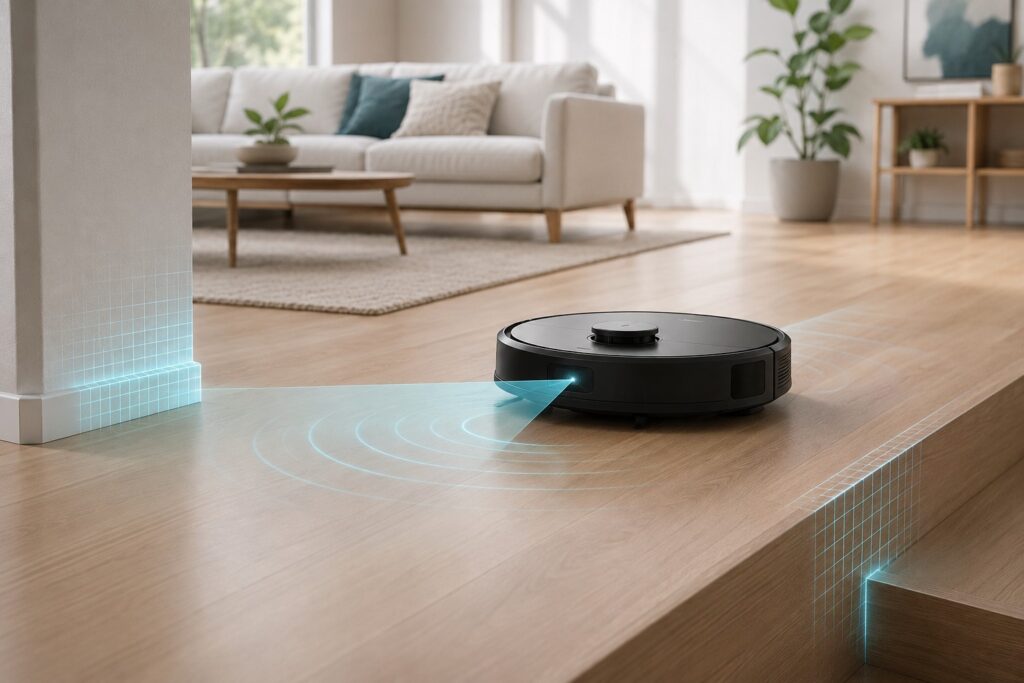
Obstacle avoidance is best understood as a decision layer, not a piece of hardware on its own. Detection sensors — cameras, structured light, infrared, or a combination — notice that something is in the robot’s path; obstacle avoidance is what the robot does with that information next. This guide covers that second part specifically. For the sensor hardware itself, including what different sensor types can and can’t reliably detect, see how robot vacuum sensors work.
How Detection Feeds Into Avoidance
Detection has to happen before avoidance can — a robot vacuum can’t react to an object it hasn’t noticed. This guide doesn’t re-explain the sensor hardware itself, since that’s already covered in detail elsewhere on this site; what matters here is that once detection occurs, different manufacturers have built noticeably different systems for what happens next.
Common Reaction Patterns Once an Obstacle Is Detected
Rerouting Around the Object
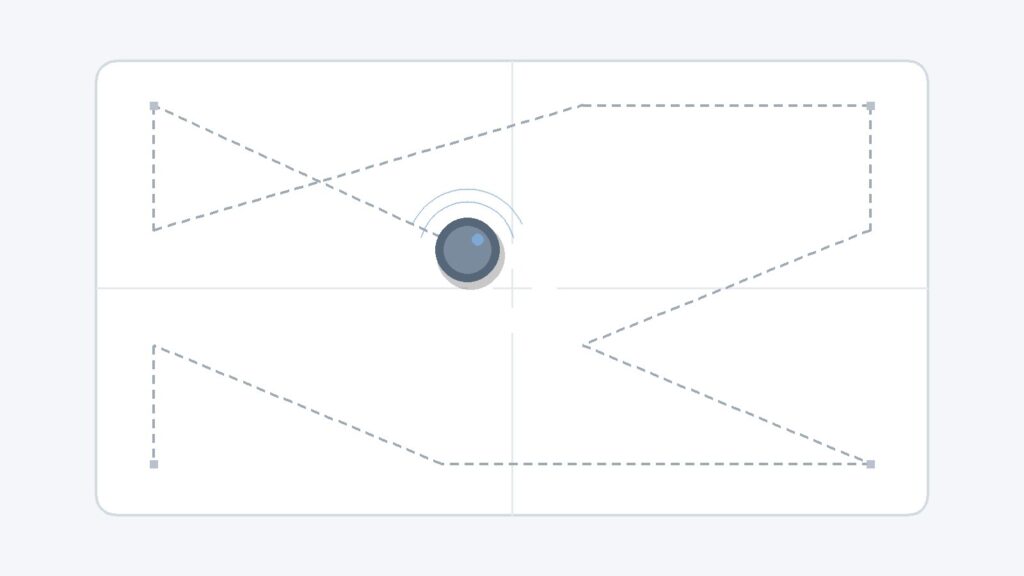
The most straightforward pattern is simply steering around whatever was detected and continuing the cleaning path. Several manufacturers describe their systems in these terms — navigating around obstacles like shoes, pet waste, or small furniture rather than approaching them directly.
Learn-and-Remember Feedback Loops
At least one manufacturer’s system is built around a feedback loop rather than a single fixed reaction: when the robot first encounters an object, it sends a photo so the object can be confirmed and remembered, and the system is described as reacting “in real time” going forward. This turns obstacle avoidance into something that can improve with use, not just a one-time capability.
Targeted Reactions for Specific Object Types
Some systems apply a different, more specific reaction depending on what’s recognized. One manufacturer’s product documentation describes the robot stopping its main brush specifically when it recognizes a pet, rather than simply rerouting the way it would around a static object. This is a deliberate design choice by that manufacturer, not a general behavior every system uses.
Edge-Following as an Emerging Alternative Approach
Not every system treats “avoidance” as steering wide around an object. At least one described approach instead tracks an object’s outline and cleans closely along its edge, rather than giving it a wide berth — framed by that manufacturer as maximizing cleaning coverage rather than simply avoiding the area altogether.
None of these four patterns is the only or universal way obstacle avoidance works — which pattern (or combination) a given model uses depends on its manufacturer and product generation.
What Kinds of Objects Are Typically Recognized
Common Object Categories Across Manufacturers
Across the manufacturer documentation reviewed for this guide, obstacle-recognition systems are generally built around common household object categories rather than a single fixed list: charging cables and cords, footwear (shoes, socks, slippers), pet-related items (pet waste, pet bowls), and furniture-adjacent objects. Several independent manufacturers converge on these same general categories, even though they use different names for the underlying technology.
Why Recognition Scope Varies Widely by Model
How many distinct objects a system can recognize varies enormously. One flagship model’s documentation states it recognizes 73 distinct objects; other manufacturers describe a shorter named list, or describe the category as “selected household items” without stating an exact count. There is no single industry-standard number, and a higher stated count from one specific model should not be read as a general obstacle-avoidance benchmark that applies to other models or brands.
How Machine Learning Improves Avoidance Over Time
Manufacturers commonly describe obstacle recognition as something that improves through ongoing use rather than a fixed, one-time capability — one system’s object database is described as “steadily updating” through machine learning, and another’s photo-feedback loop is explicitly designed to let the system learn from what it encounters in your specific home. Exactly how much recognition improves, and how quickly, isn’t something manufacturer documentation quantifies, so this should be understood as a general design pattern rather than a specific, measurable improvement rate.
SmartCleanLab Note
Detection technology, object-recognition scope, and post-detection reaction behavior all vary by manufacturer and model — sometimes significantly, even between two models from the same brand. Nothing in this guide should be read as describing one universal obstacle-avoidance system; check a specific product’s own listing and manual for what it actually does.
Why Obstacle Avoidance Still Has Limits
Objects That Remain Difficult to Detect
Detection sensors — the layer this guide’s companion article covers in depth — already note that small cables, low-profile objects, transparent items, reflective surfaces, dark materials, and cluttered areas can be difficult for some models to detect reliably in the first place. Obstacle avoidance behavior can only act on what detection actually notices, so a hard-to-detect object is also a hard-to-avoid one.
No Guarantee of Zero Contact
No manufacturer source reviewed for this guide claims that obstacle avoidance means a robot vacuum will never touch or bump into anything. “Avoidance” describes an intent and a general capability, not a guarantee — occasional contact with an object, especially one that’s hard to detect in the first place, remains a normal possibility.
Obstacle Avoidance and Pets: What to Know
Only one manufacturer’s own documentation, reviewed for this guide, describes a specific, named reaction for recognized pets — stopping the main brush when a pet is identified, in addition to adjusting suction near pet-related items. This is a real, sourced example of one manufacturer’s design choice, not a general claim that every obstacle-avoidance system treats pets differently from other objects, and no source reviewed provides a reliability figure for detecting a moving, living pet specifically, as opposed to a stationary object like furniture.
Terms You May See in Product Listings
- AI recognition / AI obstacle avoidance — marketing language for a camera- or sensor-based system trained to recognize specific object categories — scope and accuracy vary by model.
- Obstacle avoidance — the behavior layer covered in this guide — what happens after an object is detected, not the detection hardware itself.
- No-go zone suggestion — some mapping-based systems can suggest areas to exclude automatically, based on objects or hazards they’ve recognized. For the fuller mapping and manual no-go-zone picture, see how robot vacuum mapping works.
What Beginners Should Not Assume
“Obstacle Avoidance” Does Not Mean Zero Collisions
A model marketed with obstacle avoidance can still make contact with objects, particularly ones that are hard to detect in the first place (see “Why Obstacle Avoidance Still Has Limits” above). Treat the feature as a general risk-reduction capability, not a collision-proof guarantee.
More Recognized Objects Does Not Automatically Mean Better Real-World Performance
A higher stated object-recognition count doesn’t necessarily translate to noticeably better everyday behavior — how a system reacts once it detects something (rerouting, learning, edge-following, or a targeted response) matters just as much as how many object types it can name.
Common Mistakes Beginners Should Avoid
Assuming Every “Obstacle Avoidance” Feature Works the Same Way
Obstacle avoidance isn’t one standardized feature — it’s a general category covering meaningfully different detection technologies and reaction behaviors. This is closely related to, but distinct from, the broader question of how a robot vacuum decides where to go in the first place; for that fuller picture, see how robot vacuum navigation works.
Leaving Cords and Small Items on the Floor Anyway
Since small cables, low-profile objects, and cluttered areas remain genuinely harder for many systems to detect, it’s still worth clearing obvious tripping hazards and delicate small items from the floor before running a cleaning cycle, regardless of what a listing’s obstacle-avoidance marketing claims.
Ignoring the Manufacturer’s Manual
For anything specific to your own model — which objects it’s designed to recognize, how it reacts once it detects something, or how to adjust its sensitivity — the manufacturer’s manual or official support page is more reliable than a general guide like this one.
Frequently Asked Questions
Does obstacle avoidance mean a robot vacuum will never touch anything?
No. Obstacle avoidance describes a general capability and intent, not a guarantee — occasional contact remains possible, especially with objects that are harder to detect in the first place.
What objects can robot vacuums usually recognize and avoid?
This varies by model, but common categories described across manufacturers include cords and cables, footwear, pet-related items, and furniture. The exact list and count differ significantly between manufacturers and even between models from the same brand.
Does every robot vacuum brand handle obstacle avoidance the same way?
No. Reaction patterns differ — some systems reroute around an object, some use a learn-and-remember feedback loop, some apply a specific reaction for certain object types like pets, and at least one approach tracks an object’s edge instead of avoiding it widely.
Can a robot vacuum reliably avoid pets while cleaning?
Only one manufacturer’s documentation reviewed for this guide describes a specific pet-related reaction, and no source provides a reliability figure for detecting a moving pet. Treat any obstacle-avoidance feature as a general risk-reduction measure around pets, not a guarantee.
Does obstacle avoidance get better over time?
Some systems are described as improving through ongoing use or machine learning, but manufacturers don’t generally quantify how much or how quickly this happens.
Do I still need to pick up cords and small items before running the robot?
Generally, yes. Small, low-profile, or hard-to-detect objects remain a common source of difficulty regardless of a model’s obstacle-avoidance marketing.
What’s the difference between obstacle avoidance and the sensors that detect objects?
Sensors are the hardware that notices something is there; obstacle avoidance is the behavior layer that decides what the robot does next. See the “What Robot Vacuum Obstacle Avoidance Actually Means” section above for how these two layers relate.
Final Takeaway
“Obstacle avoidance” is a behavior layer built on top of detection hardware, and it isn’t one standardized feature across the market — reaction patterns, recognized object categories, and real-world performance all vary by manufacturer and model. Understanding it as a general risk-reduction capability, rather than a collision-proof guarantee, is the most useful mental model for reading any specific product’s marketing language.